Markdown To Text Converter : Free Online Stripper Tool
Convert your Markdown files into clean, unformatted text instantly. Use our fast Markdown to Plain Text Converter to remove headings, bold text, links, and code blocks in one click.
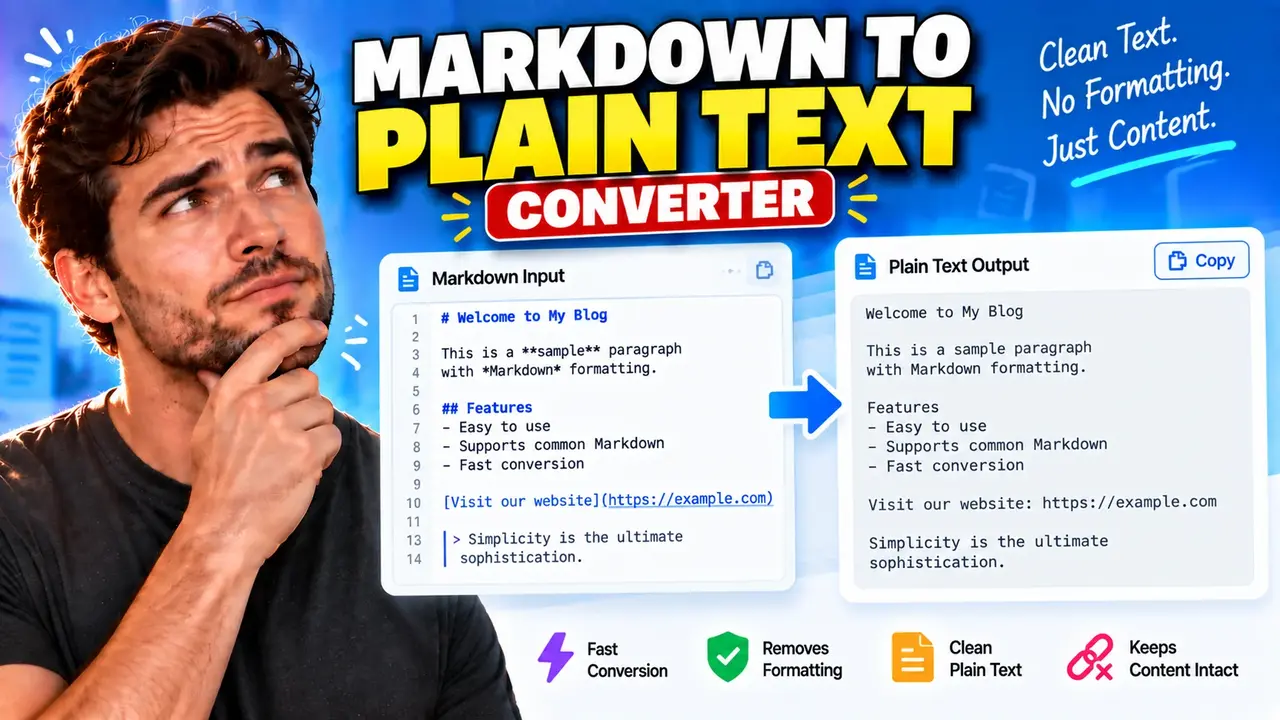
Online Markdown to Text Converter
TL;DR Summary
The Markdown to Text Converter is designed to turn Markdown-formatted content into plain text by removing Markdown formatting from the content. The exact privacy behavior and internal processing method are not provided, so avoid entering sensitive information unless the page clearly explains how submitted content is handled.
What Is a Markdown to Text Converter?
A Markdown to Text Converter changes content written with Markdown formatting into simpler plain text. Markdown is a lightweight way to add structure and formatting to text using characters and patterns such as headings, emphasis markers, links, lists, code formatting, and other syntax. Plain text removes that presentation layer so the remaining content can be read or reused without Markdown markup.
This can be useful when you have Markdown content but need a cleaner text version. For example, a Markdown document may contain a heading such as # Project Notes. A plain-text version can represent that heading as Project Notes without the Markdown heading marker. Similarly, Markdown emphasis such as **important** can be represented as the plain text important.
What Problem Does It Solve?
Markdown is useful for writing structured documents, but its formatting characters may not be wanted in every destination. Copying Markdown into a plain-text field can leave visible symbols that make the content harder to read or require manual cleanup. A Markdown to Text Converter provides a dedicated way to transform Markdown source into readable text without requiring you to remove formatting characters one by one.
The tool can be useful for writers, editors, developers, students, documentation users, content teams, and anyone who works with Markdown and needs a plain-text representation. It can also help when preparing text for systems or fields that expect plain text rather than Markdown syntax.
What Do You Enter?
The primary input for a Markdown to Text Converter is Markdown-formatted text. You provide the content that you want to convert. The input may contain normal paragraphs together with Markdown syntax. The available interface should be used to enter or paste the Markdown content into the tool.
No numeric units or measurement settings are required for this type of converter. This is a text-format conversion rather than a mathematical unit conversion.
What Does the Tool Produce?
The expected output is plain text derived from the supplied Markdown. Markdown formatting markers are removed or converted into their readable text equivalent according to the conversion logic used by the tool.
For example, consider this simple Markdown:
# Welcome

This is **important**.

Visit [Toolhox](https://toolhox.com) for tools.
A plain-text representation can be expressed as:
Welcome

This is important.

Visit Toolhox for tools.
The exact treatment of every Markdown feature depends on the converter's implementation. The supplied tool information does not document a complete Markdown syntax specification, so this page does not claim support for particular advanced Markdown extensions or every possible Markdown dialect.
How to Use the Markdown to Text Converter
- Step 1: Prepare the Markdown content you want to convert, including the formatting syntax you want removed.
- Step 2: Enter or paste the Markdown into the converter's input area.
- Step 3: Run the conversion using the control provided by the tool.
- Step 4: Review the resulting plain text and check that the content has the structure and wording you need.
- Step 5: Copy or reuse the converted text wherever plain text is appropriate.
How the Conversion Works
A Markdown to Text Converter is not normally based on a numeric formula. Instead, it interprets Markdown syntax and produces a text representation without the corresponding Markdown formatting markers.
A simplified description of the process is:
Markdown input → Markdown syntax is interpreted or removed → Plain-text output
For common Markdown, this can include removing heading markers, emphasis markers, link syntax while retaining link text, and list or code-formatting markers where the converter supports those elements. The goal is to preserve the meaningful written content while removing presentation-oriented Markdown notation.
There is no unit conversion, decimal precision, or rounding calculation involved. The important consideration is how the converter handles the Markdown syntax contained in the input.
Examples and Quick Reference
| Markdown | Plain-Text Representation |
|---|---|
# Heading |
Heading |
**Bold text** |
Bold text |
*Italic text* |
Italic text |
[Example](https://example.com) |
Example |
- First item |
First item |
These examples show the general purpose of Markdown-to-plain-text conversion. They are examples of the intended transformation, not a complete specification of the tool's supported Markdown syntax.
When Is Plain Text Useful?
Plain text is useful when formatting is unnecessary or unwanted. You may want to remove Markdown before pasting content into a simple text field, preparing notes, reviewing the wording of a document, or moving content between systems that do not interpret Markdown.
Plain text can also make it easier to inspect the actual words in a Markdown document without being distracted by formatting syntax. This is particularly helpful when the content itself matters more than its presentation.
Important Assumptions
The main assumption is that the input contains Markdown or Markdown-like formatting that should be converted into a plain-text representation. The converter's exact parsing rules are not documented in the supplied tool information. For that reason, users should review the output rather than assuming that every Markdown extension, embedded element, or unusual syntax will be handled in exactly the same way as a full Markdown parser.
Markdown has multiple implementations and extensions. Features can differ between Markdown dialects. Complex documents may also contain content such as tables, nested lists, code blocks, images, HTML, or custom syntax. The supplied information does not confirm how each of these cases is handled by this specific converter.
Assumptions and Limitations
- The tool is intended to convert Markdown-formatted content into plain text.
- The exact supported Markdown syntax is not specified in the supplied tool information.
- Advanced Markdown extensions may require output review.
- Formatting that has no direct plain-text equivalent may need to be checked after conversion.
- The converter does not replace manual review when exact document structure or formatting must be preserved.
- The privacy and storage behavior of submitted text is not specified in the supplied information.
Because privacy behavior is not documented here, users should avoid entering passwords, private records, confidential business material, personal identifiers, or other sensitive information unless the actual tool page clearly explains how that information is processed and handled.
Why Use This Markdown to Text Converter & How Our Markdown to Text Converter Beats the Competition
The practical value of a dedicated Markdown to Text Converter is that it focuses on one clear transformation: turning Markdown-formatted content into plain text. Different approaches can also accomplish related tasks, but they involve different levels of control and effort.
| Method | Ease of Use | Processing Approach | Best For | Limitations |
|---|---|---|---|---|
| Toolhox Markdown to Text Converter | Dedicated conversion workflow | Markdown to plain-text transformation | Users who need a plain-text version of Markdown | Exact support for advanced Markdown syntax is not specified |
| Manual Editing | Requires more hands-on work | User removes Markdown syntax manually | Very small pieces of text | Can be tedious and may leave formatting markers behind |
| Spreadsheet or Text Workflow | Depends on the setup | Uses custom text-processing steps | Repeatable workflows that users have already built | Requires setup and suitable text-processing logic |
| Markdown Processing Software | Varies by software | Uses a Markdown parser or document-processing workflow | Complex or specialized Markdown workflows | May require installation, configuration, or technical knowledge |
This comparison describes general workflow differences rather than claiming that one method is universally better. The right approach depends on the amount and complexity of Markdown you need to convert and how closely the output must match a particular Markdown specification.
When Should You Review the Output?
You should review converted text when the original Markdown contains more than simple headings, emphasis, links, or lists. A conversion from formatted content to plain text necessarily removes some presentation information. Elements such as images, tables, nested structures, and custom Markdown extensions may not have a single obvious plain-text representation.
If the converted content will be used in an important document, publication, software workflow, or other setting where exact wording matters, compare the plain-text output with the original Markdown. This helps catch missing text, unexpected line breaks, or formatting that did not translate as expected.
Privacy Considerations
The supplied tool information does not specify whether the entered Markdown is processed entirely in the browser, transmitted to a server, logged, or stored. No specific privacy guarantee should therefore be assumed from the tool name alone. For sensitive content, check the actual page's privacy information before entering the text.
For ordinary, non-sensitive Markdown conversion, the main task is straightforward: provide Markdown as the input, convert it, and review the resulting plain text before using it elsewhere.
