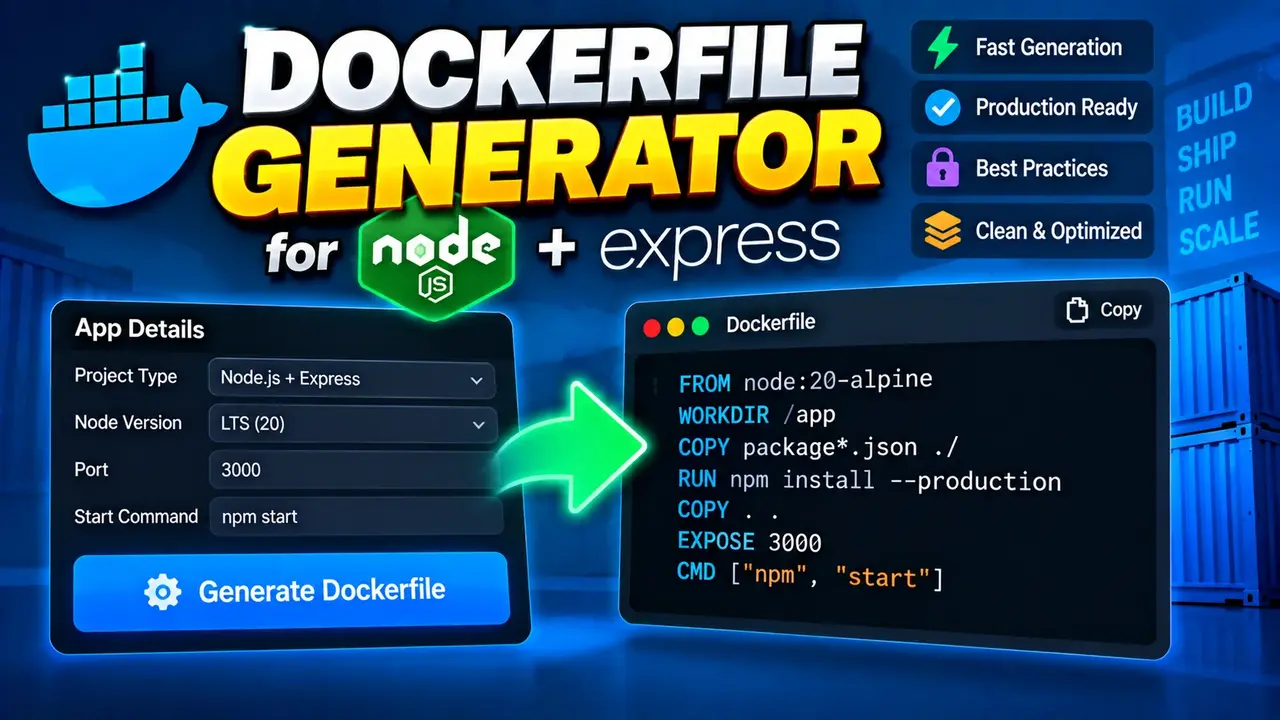
Dockerfile Generator for Node.js Express
TL;DR Summary
Dockerfile Generator for Node.js Express helps developers create a Dockerfile for a Node.js application that uses the Express framework. It is intended as a practical starting point for containerizing an Express project; privacy behavior and any server-side handling of entered project details are not specified by the supplied tool information, so avoid entering sensitive information unless the page explains how it is handled.
About This Tool
Dockerfile Generator for Node.js Express is a developer tool designed to help create a Dockerfile for a Node.js Express application. A Dockerfile is a plain-text file that tells Docker how to build an image for an application. For an Express project, the Dockerfile normally defines a Node.js base image, establishes a working directory, installs project dependencies, copies application files, exposes the application port, and defines the command used to start the application.
This tool is useful when you have an Express application and want a clear starting point for running it inside a Docker container. It can help reduce the need to write common Dockerfile instructions from scratch. Developers can then review the generated file and adjust it to match the project's package manager, Node.js version, start command, port, build process, and file structure.
The primary audience includes Node.js developers, Express developers, students learning Docker, software teams preparing applications for container-based development, and developers who need a Dockerfile template for an existing Express project. It can also be useful when moving a small Express application from a local development environment into a container-based workflow.
What a Node.js Express Dockerfile Does
A Dockerfile for an Express application describes the steps Docker should follow when creating the application's image. A typical file starts with a FROM instruction. This selects the Node.js image used as the foundation. The selected Node.js version should match the version supported by the application.
The Dockerfile can then use WORKDIR to establish the directory where application commands run. Project files can be copied into that directory with COPY. Dependency installation is commonly handled with npm or another package manager, depending on the project's files and workflow. An Express application may also use EXPOSE to document the port on which the application is expected to listen. Finally, CMD or an equivalent Docker instruction can define the command used to start the application.
Typical Inputs
The exact fields available in the generator are not provided in the supplied tool information. Therefore, this page does not assume that every possible Dockerfile option is supported by the interface.
For a Node.js Express Dockerfile generator, relevant project information may include the Node.js version, application port, package manager, dependency installation approach, and application start command. If the tool presents these fields, enter values that match the actual Express project. If a field is not provided by the tool, do not assume that it can be configured through the generator.
Typical Output
The intended output is a Dockerfile suitable as a starting point for a Node.js Express application. A Dockerfile is normally saved with the exact filename Dockerfile and without a conventional file extension.
The generated result should be reviewed before use. The correct Dockerfile depends on the project's package.json configuration, Node.js compatibility, application entry point, dependency files, environment variables, required system packages, and deployment requirements.
How to Use
- Step 1: Open Dockerfile Generator for Node.js Express and review the available project options.
- Step 2: Enter the project details requested by the generator, using values that match your Express application's actual configuration.
- Step 3: Select the Node.js version or other available options when those settings are provided by the tool.
- Step 4: Generate the Dockerfile from the information you entered.
- Step 5: Review the generated Dockerfile and compare its commands with your project's package.json, start script, application port, and dependency requirements.
- Step 6: Save the reviewed content as a file named
Dockerfilein the appropriate location in your project. - Step 7: Build and run the Docker image using your normal Docker workflow, then test the Express application inside the container.
Technical Explanation
This is a generator rather than a mathematical calculator, so there is no single numerical formula. The underlying logic is the construction of Dockerfile instructions appropriate for a Node.js Express application. The exact generated instructions depend on the inputs and options actually supported by the tool.
A common Dockerfile structure can be represented conceptually as:
FROM <Node.js base image>
WORKDIR <application directory>
COPY <dependency files> ./
RUN <dependency installation command>
COPY <application files> ./
EXPOSE <application port>
CMD [<application start command>]
This is a standard structural example, not a claim about the tool's hidden implementation. The correct base image, installation command, port, and start command must come from the project requirements and the options actually offered by the generator.
Important Dockerfile Concepts
| Instruction | Purpose |
|---|---|
FROM |
Selects the base image used to build the application image. |
WORKDIR |
Sets the working directory for later Dockerfile commands. |
COPY |
Copies selected project files into the image. |
RUN |
Runs a command while the image is being built. |
EXPOSE |
Documents the port the containerized application is expected to use. |
CMD |
Defines the default command used to start the container. |
Preset Examples / Quick Reference
Suppose an Express project uses a Node.js runtime, keeps its dependency definition in package.json, and has an npm start script. A generated Dockerfile may use a Node.js base image, copy the dependency files, install dependencies, copy the remaining application files, document the Express port, and run the npm start command.
The important point is that the Dockerfile should reflect the real project. For example, if package.json defines a different start script, the generated command should not be treated as a substitute for that project configuration. Likewise, the port in the Dockerfile should agree with the port used by the Express application and the way the container is run.
Why Use This Dockerfile Generator for Node.js Express & How Our Dockerfile Generator for Node.js Express Beats the Competition
| Method | Ease of Use | Calculation / Generation Speed | Best For | Limitations |
|---|---|---|---|---|
| Toolhox Dockerfile Generator for Node.js Express | Uses a generator instead of requiring every Dockerfile instruction to be written manually. | Generates the requested Dockerfile content from the supported inputs. | Developers who need a Dockerfile starting point for a Node.js Express project. | The generated file still needs to be checked against the actual project configuration. |
| Manual Dockerfile | Requires knowledge of Dockerfile instructions. | Depends on the developer writing the file. | Projects with custom container requirements. | More manual work and more opportunities for configuration mistakes. |
| Spreadsheet Calculation | Not a natural fit for Dockerfile generation. | Requires a custom spreadsheet structure. | Not generally intended for Dockerfile authoring. | Does not directly represent Dockerfile syntax or project files. |
| Professional Engineering Software | Designed for different technical tasks. | Not intended primarily for Express Dockerfile generation. | Specialized engineering workflows rather than application container configuration. | May not address the specific Dockerfile task. |
The practical value of Dockerfile Generator for Node.js Express is that it focuses on a specific developer task: producing Dockerfile content for an Express application. Compared with writing every instruction from scratch, a generator can provide a structured starting point. Compared with unrelated calculation or engineering software, it is focused on container configuration for the stated Node.js Express use case.
Assumptions and Limitations
A generated Dockerfile should be treated as a starting point, not as a guarantee that every Express application will run correctly without changes. Node.js applications can have different package managers, Node.js version requirements, build steps, native dependencies, environment variables, entry points, and production requirements.
The supplied tool information does not document the exact internal generation rules, the complete list of supported inputs, or the exact privacy behavior. For that reason, this page does not claim that the generator supports a particular Node.js version, package manager, optimization, security setting, or deployment platform unless the interface itself provides that option.
Before deploying an application, review the generated Dockerfile and test the resulting container. Pay particular attention to the Node.js version, dependency installation, start command, application port, environment variables, and files copied into the image. Do not place secrets directly into a Dockerfile. Use the configuration and secret-management approach appropriate for your deployment environment.
Professional review may be appropriate for applications with strict production, security, compliance, infrastructure, or operational requirements. The generator does not replace project-specific testing or deployment review.