Docker Compose To Kubernetes Yaml Converter
Free Compose to Kubernetes YAML converter. Paste Compose YAML and get Deployment, Service, ConfigMap, Secret and PVC manifests with honest warnings. 100% private, runs in your browser.
Advanced options
# Press Convert.
100% private — conversion runs in your browser. Nothing is sent or stored.
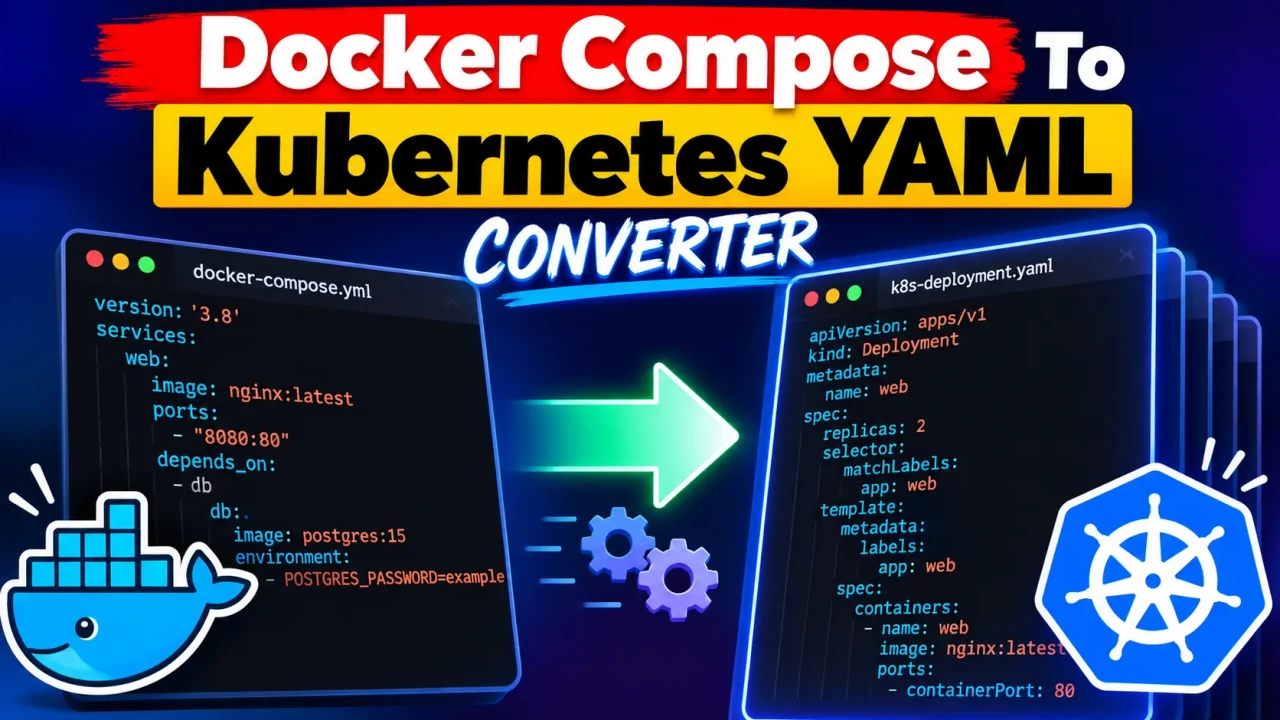
Docker Compose To Kubernetes Yaml Converter
TL;DR Summary
Docker Compose To Kubernetes Yaml Converter is a developer utility designed to transform a Docker Compose configuration into Kubernetes YAML that can be reviewed as a starting point for Kubernetes deployment. The exact conversion depends on the Compose configuration and supported mapping rules; privacy behavior is not specified by the supplied tool information, so avoid entering sensitive configuration data unless the page explains how it is handled.
What Is the Docker Compose To Kubernetes Yaml Converter?
The Docker Compose To Kubernetes Yaml Converter helps developers move from a Docker Compose configuration toward Kubernetes YAML. Docker Compose and Kubernetes both describe application workloads, but they use different configuration models. A Compose file commonly describes services, images, ports, environment settings, volumes, networks, dependencies, and other application settings. Kubernetes uses resources such as Deployments, Services, ConfigMaps, Secrets, PersistentVolumeClaims, and related objects.
Manually translating a Compose file into Kubernetes manifests can require careful review of how each Compose setting maps to Kubernetes concepts. This converter provides a structured way to start that process. Instead of rebuilding Kubernetes YAML from scratch, you can use the converted output as a starting point for review, editing, and deployment preparation.
Who Can Use This Tool?
The tool is intended for developers, DevOps engineers, platform teams, system administrators, and students learning container orchestration. It can also help teams that already have applications described with Docker Compose and want to examine how those applications could be represented with Kubernetes resources.
It is useful when a Compose configuration is easier to understand than a Kubernetes manifest and you need a first-pass translation. It can also be useful for learning because the generated YAML can help you compare the structure of a Compose service with the corresponding Kubernetes configuration.
What Do You Enter?
The main input is a Docker Compose configuration. Docker Compose files are normally written in YAML and describe one or more application services. Depending on the Compose file, the source may contain service names, container images, ports, environment variables, volumes, networks, commands, restart settings, dependencies, and other Compose options.
Only use configuration elements that are actually present in your Compose file. A small Compose file may contain only an image and port mapping, while a larger application may include several services and supporting configuration. The converter works from the information available in the source configuration, so the completeness and structure of the input affect the usefulness of the generated result.
What Does It Produce?
The intended output is Kubernetes YAML. Kubernetes YAML describes Kubernetes resources and their configuration. The generated output can be reviewed and then adjusted for the target cluster, application architecture, storage requirements, networking model, security settings, and operational policies.
The result should be treated as a conversion output and not automatically assumed to be a complete production deployment. Docker Compose and Kubernetes do not have identical resource models. Some Compose concepts have direct or relatively clear Kubernetes equivalents, while others may require manual decisions or additional Kubernetes resources.
How to Use the Docker Compose To Kubernetes Yaml Converter
- Step 1: Prepare the Docker Compose configuration you want to convert. Review the YAML for missing values, formatting problems, and configuration that is specific to your local development environment.
- Step 2: Provide the Docker Compose configuration to the converter using the input method available on the tool page.
- Step 3: Run the conversion so the tool can create Kubernetes-oriented YAML from the Compose configuration.
- Step 4: Review the generated Kubernetes YAML carefully. Check service names, images, ports, environment settings, storage, networking, and other important configuration.
- Step 5: Adjust the generated manifests for your Kubernetes cluster and application requirements before using them in a real environment.
- Step 6: Validate the final Kubernetes configuration with your normal Kubernetes workflow before deployment.
Technical Explanation: How the Conversion Works
This is a configuration converter rather than a mathematical calculator, so there is no single numerical formula. The underlying approach is a configuration mapping: information represented in Docker Compose is translated into Kubernetes-style YAML structures where an appropriate mapping exists.
A simplified conceptual model is:
Docker Compose configuration → service and configuration mapping → Kubernetes YAML
For example, a Compose service can specify a container image. Kubernetes workload resources also use container images, so the image information can generally be represented in the generated Kubernetes configuration. A Compose port mapping can provide information that may be used when creating or configuring Kubernetes networking resources. Environment configuration can also require corresponding Kubernetes configuration.
These are conceptual mappings, not a claim about every internal conversion rule used by the tool. The supplied tool information does not document the exact implementation, supported Compose specification versions, or a complete one-to-one mapping table. Therefore, generated YAML should be inspected rather than accepted blindly.
Docker Compose and Kubernetes: Key Differences
| Docker Compose Concept | Kubernetes Direction | What to Review |
|---|---|---|
| Service | Kubernetes workload and/or service resources | Workload type, replicas, networking, and labels |
| Container image | Container image in a Kubernetes workload | Image name, tag, registry access, and pull policy |
| Ports | Kubernetes networking resources | Container ports, service ports, and exposure requirements |
| Environment variables | Kubernetes configuration | Plain configuration versus sensitive values |
| Volumes | Kubernetes storage resources or mounts | Persistence, storage classes, claims, and mount paths |
| Networks | Kubernetes networking model | Services, DNS, selectors, and network policies where needed |
Preset Example
Consider a simple Compose service with a web application image and a port mapping. The source configuration might conceptually contain a service named web, an image such as example/web, and a port mapping such as 8080:8080. A Kubernetes-oriented conversion would need to represent the application as Kubernetes resources and preserve the relevant container and networking information.
The exact generated YAML is intentionally not shown as a guaranteed sample because the supplied tool information does not document the converter's exact output structure. This avoids presenting an invented implementation as if it were produced by the actual tool.
What Should You Check After Conversion?
Always review the generated YAML before using it. Pay particular attention to networking, persistent storage, environment variables, secrets, service discovery, container commands, resource requirements, health checks, permissions, and workload scaling. A Compose file designed for local development may not contain everything required for a production Kubernetes environment.
You should also confirm that image names and tags point to images accessible from the target Kubernetes environment. Check whether persistent data needs durable Kubernetes storage rather than temporary container storage. Review environment variables and credentials carefully, especially if the source Compose file contains sensitive configuration.
Why Use This Docker Compose To Kubernetes Yaml Converter & How Our Docker Compose To Kubernetes Yaml Converter Beats the Competition
The practical value of a conversion tool is that it gives you a structured starting point for translating between two different container configuration models. The alternatives below serve different purposes, so the right choice depends on the complexity of the application and the level of control required.
| Method | Ease of Use | Conversion Workflow | Best For | Limitations |
|---|---|---|---|---|
| ToolSpike Docker Compose To Kubernetes Yaml Converter | Designed around Compose-to-Kubernetes conversion | Generates Kubernetes-oriented YAML from Compose configuration | Creating a starting point for migration or review | Generated YAML still needs technical review and may require manual changes |
| Manual Conversion | Requires Kubernetes and Compose knowledge | Each configuration is mapped by hand | Highly customized migrations | More manual work and greater opportunity for configuration mistakes |
| Spreadsheet or Notes | Simple for planning | Configuration is documented manually | Migration planning and mapping decisions | Does not itself generate Kubernetes manifests |
| Professional Kubernetes Tooling | Varies by product and workflow | May provide broader deployment and cluster management features | Complex Kubernetes operations and established workflows | May be more involved than needed for a basic conversion task |
Assumptions and Limitations
The converter should be viewed as a configuration translation aid. Docker Compose and Kubernetes have different concepts, so not every Compose option necessarily has a direct Kubernetes equivalent. Some settings may require manual interpretation, additional resources, or changes to fit Kubernetes best practices.
The supplied tool information does not document the exact supported Compose versions, every supported Compose property, the complete mapping rules, output validation behavior, or privacy implementation. Those details should not be assumed. If the tool page provides additional implementation or privacy information, follow that information for the specific version you are using.
Do not use generated YAML as the sole basis for a production deployment without review. Validate the configuration against the Kubernetes version, cluster policies, networking requirements, storage design, security requirements, and application needs. Sensitive values should not be entered unless you understand how the page handles submitted configuration.
When Is This Tool Most Useful?
The Docker Compose To Kubernetes Yaml Converter is most useful when you already have a Compose configuration and need a Kubernetes-oriented starting point. It can reduce the amount of repetitive configuration work involved in a migration and make it easier to inspect how an application could be represented using Kubernetes YAML.
It is also useful as a learning aid. Developers who know Docker Compose but are learning Kubernetes can compare familiar service configuration with Kubernetes resource definitions. This can make the differences between container development workflows and cluster orchestration easier to see.
For simple applications, the generated configuration may provide a useful foundation for further editing. For complex applications, treat the conversion as an initial step and expect additional architecture and configuration work. The final Kubernetes configuration should reflect the actual requirements of the application and its target environment.