Free Txt To Json Converter Online (fast & Easy)
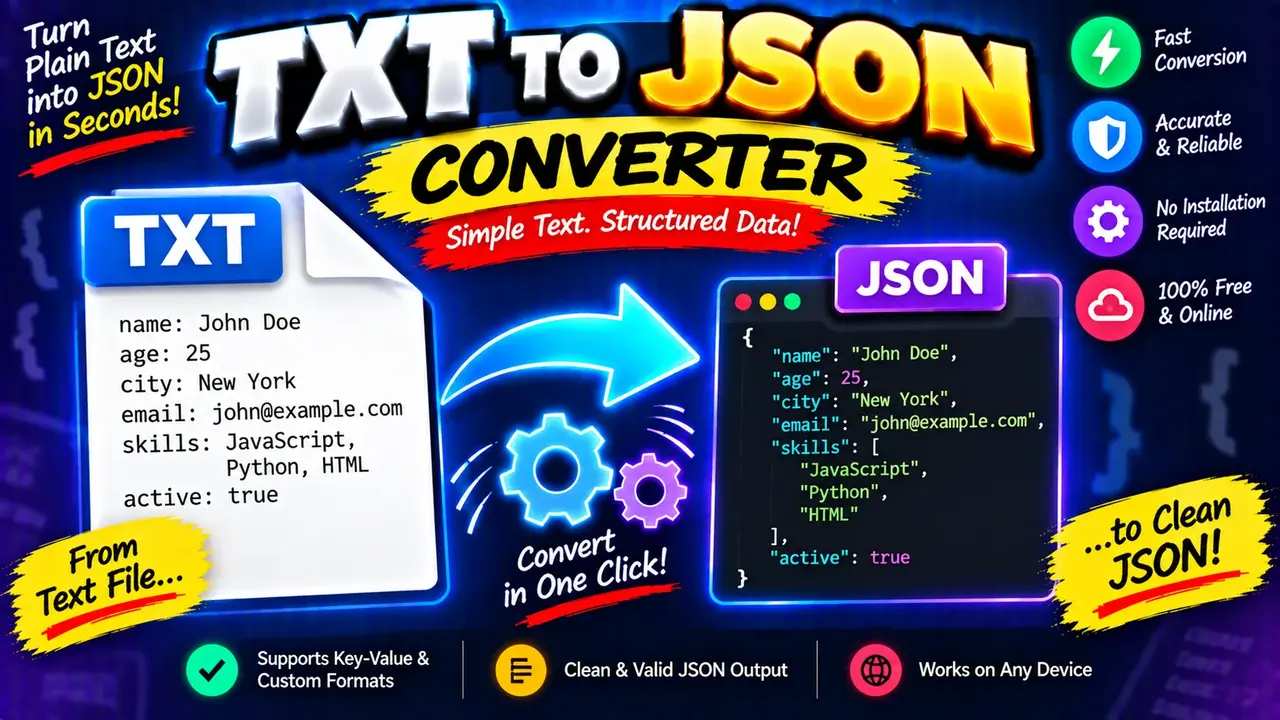
Convert text files to JSON instantly with our free TXT to JSON converter online. Format data quickly, securely, and without any registration!
Online Txt To Json Converter
TL;DR Summary
Txt To Json Converter is a web utility for turning text into JSON-formatted data. Use it when you need to move from plain text toward a structured JSON result; the exact conversion rules, supported input patterns, and privacy behavior are not specified in the supplied tool information, so avoid entering sensitive data unless the page clearly explains how it is handled.
About Txt To Json Converter
Txt To Json Converter is designed for a common data-formatting task: converting text into JSON. JSON, short for JavaScript Object Notation, is a structured text format widely used to represent data in web applications, APIs, configuration files, scripts, and developer workflows. A text-to-JSON converter can help reduce the manual work involved in preparing text for systems that expect JSON.
The basic purpose is simple. You provide text to the converter, and the tool produces a JSON-formatted result based on the conversion rules supported by the page. This can be useful when information starts as ordinary text but needs to be represented in a structured format.
Typical users may include developers, students, technical writers, data workers, QA testers, and anyone who needs to prepare text for a system that accepts JSON. It can also be useful for quick formatting tasks when you want to inspect or prepare structured data without manually typing every JSON character.
What Is JSON?
JSON is a text-based data format built around structured values. It can represent objects, arrays, strings, numbers, Boolean values, and null. JSON objects use curly braces, keys, and values. Arrays use square brackets and contain ordered values. Strings are normally enclosed in double quotation marks.
For example, a JSON object can conceptually contain information such as a person's name and age. A valid JSON representation follows JSON syntax rules, including correct quotation marks, separators, brackets, braces, and value types. These rules matter because software that reads JSON expects a predictable structure.
What You Enter
The primary input for Txt To Json Converter is text. The supplied information identifies the tool as a text-to-JSON converter, but it does not document a complete list of accepted text patterns, optional fields, delimiters, line rules, or special controls. For that reason, this page does not claim that the converter supports a particular CSV layout, key-value syntax, indentation system, delimiter, or custom parsing option unless the live tool explicitly provides it.
If the tool interface displays additional options, follow those options when preparing your input. Clean, consistently formatted text is generally easier to convert than text containing mixed separators, unclear labels, or incomplete values.
What You Get
The intended output is JSON-formatted text. The result is meant to represent the supplied text in a structured JSON form. JSON output can then be reviewed, copied, edited, or used in another workflow that accepts JSON.
The exact output structure depends on the conversion behavior implemented by the tool. Because the supplied source does not expose the internal implementation, this page does not claim a specific mapping such as one line becoming one object property, one paragraph becoming one array item, or a particular separator becoming a nested JSON structure.
How to Use Txt To Json Converter
- Step 1: Open the Txt To Json Converter page and locate the text input area provided by the tool.
- Step 2: Enter or paste the text you want to convert. Keep the source text organized and follow any formatting instructions shown by the tool.
- Step 3: Review any available conversion options before starting the conversion. Only use options that are actually displayed by the tool.
- Step 4: Start the conversion using the page's conversion control.
- Step 5: Review the generated JSON carefully. Check that the structure and values match what you intended.
- Step 6: Copy the JSON result into your next workflow, such as a development task, configuration file, test input, or other compatible application.
Technical Explanation
Txt To Json Converter is a converter rather than a mathematical calculator, so there is no single numerical formula such as multiplication or division. The general conversion process is a transformation from one text representation into a JSON representation.
At the format level, valid JSON follows defined syntax rules. An object is enclosed in { }. An array is enclosed in [ ]. Object property names are strings, and properties are separated from their values with a colon. Multiple object properties are separated with commas. JSON strings use double quotation marks.
The exact parsing method used by Txt To Json Converter cannot be confirmed from the supplied tool information. Therefore, no hidden parsing algorithm is claimed here. If the live page provides a documented input pattern or conversion option, that information should take priority over any general description.
Example of JSON Structure
A simple JSON object has a structure like this:
{
  "name": "Example",
  "status": "active"
}
This example demonstrates JSON syntax only. It is not a claim about the exact text pattern that Txt To Json Converter accepts or the exact output it produces for a particular input.
Useful JSON Syntax Reference
| JSON Element | Syntax | Purpose |
|---|---|---|
| Object | { } |
Groups named properties and values. |
| Array | [ ] |
Stores an ordered list of values. |
| Property | "key": value |
Associates a name with a value. |
| String | "text" |
Represents text data. |
| Number | 123 |
Represents numeric data. |
| Boolean | true or false |
Represents a true or false value. |
| Null | null |
Represents an explicitly empty value. |
Common Problems to Check
If the generated result does not look right, first review the source text. Look for inconsistent spacing, unclear labels, missing values, unexpected punctuation, or formatting that does not match the instructions shown on the page. A converter can only interpret information according to its supported rules, so ambiguous source text may produce a result that needs manual review.
Also check the JSON itself. Common JSON syntax problems include missing quotation marks around strings, missing commas between properties, unmatched braces or brackets, and invalid value types. If the output is intended for software, validate the JSON before using it in a production workflow.
Why Use This Txt To Json Converter & How Our Txt To Json Converter Beats the Competition
The practical value of a text-to-JSON tool is that it focuses on one specific transformation: moving from text toward JSON. The right method depends on the amount of data, the consistency of the source, the level of control required, and the user's workflow.
| Method | Ease of Use | Calculation Speed | Best For | Limitations |
|---|---|---|---|---|
| Toolhox Txt To Json Converter | Designed around a dedicated text-to-JSON conversion task. | Suitable for interactive conversion on the web page. | Users who need to convert text into JSON. | Exact supported input rules and conversion behavior depend on the tool implementation. |
| Manual Conversion | Requires direct editing of JSON syntax. | Depends on the amount of text and manual work. | Small edits and cases requiring precise control. | Manual entry can introduce syntax mistakes. |
| Spreadsheet | Useful when source information is already tabular. | Depends on formulas, formatting, and the workflow used. | Structured tabular data and repeatable data preparation. | May require additional steps to produce the desired JSON structure. |
| Professional Development Software | Requires more technical knowledge. | Depends on the software, script, and data size. | Automated or complex production workflows. | More setup and control may be needed than for a simple conversion task. |
When This Tool Is Useful
Use Txt To Json Converter when your immediate task is to transform text into JSON and you want a dedicated web-based utility for that purpose. It may be useful during development, testing, content preparation, data cleanup, or learning exercises where JSON formatting is required.
For larger or repeated data-processing workflows, a script or dedicated development process may provide more control. For highly structured data, make sure the input format matches the rules supported by the tool before relying on the generated result.
Assumptions and Limitations
The main assumption is that the supplied text can be interpreted using the conversion rules supported by the page. The source information provided for this page does not document the converter's exact parsing algorithm, supported delimiters, maximum input size, optional controls, server behavior, storage policy, or detailed error handling. Those details should therefore not be assumed.
The generated JSON should be reviewed before it is used in an application or other important workflow. Conversion does not automatically guarantee that the resulting structure matches the schema required by a particular API, application, database, or software library.
Do not use the result as the sole basis for an important technical decision without checking it against the requirements of the system that will consume the JSON. If the text contains confidential, personal, financial, authentication, or other sensitive information, review the page's privacy and data-handling information before entering it.
In Short
Txt To Json Converter provides a focused way to turn text into JSON-formatted data. Its main value is the format transformation itself. Because the supplied source does not document the hidden implementation or detailed input rules, users should follow the live interface instructions, inspect the resulting JSON, and validate the output when it will be used by software or another important system.