Docker Run To Docker Compose Converter
Convert Docker run commands into Docker Compose files instantly. The 2026 Converter simplifies container orchestration, saves time, and improves deployment workflows.
Advanced options
100% private — conversion runs in your browser. Nothing is sent or executed.
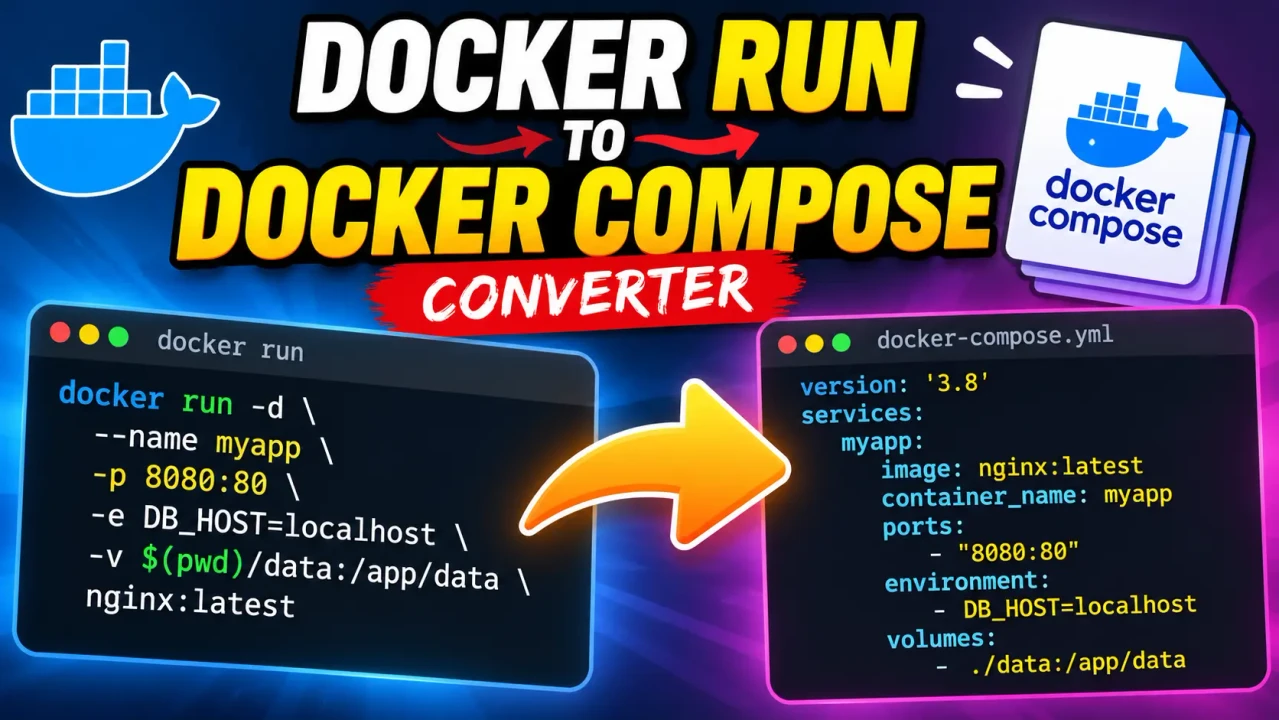
Docker Run To Docker Compose Converter
TL;DR Summary
The Docker Run To Docker Compose Converter helps turn a docker run command into a Docker Compose configuration that can be reviewed and used as a starting point for a Compose file. It is intended as a conversion and convenience tool, and its exact handling of unusual or advanced Docker options depends on the command provided; the tool's privacy behavior is not specified, so avoid entering sensitive information unless the page clearly explains how submitted data is handled.
What Is the Docker Run To Docker Compose Converter?
The Docker Run To Docker Compose Converter is a developer tool for converting a Docker command written with docker run into Docker Compose YAML. This can save time when you already have a working container command but want to express the same container setup in a Compose-style configuration.
A typical Docker workflow may begin with a command such as docker run. That command can contain several settings in one line, including the image name, container name, port mappings, environment variables, volume mounts, restart behavior, and other Docker options. A Compose file represents these settings as structured YAML instead of a long command-line string.
This converter is useful for developers, DevOps engineers, system administrators, students, and anyone learning Docker. It can also help when moving from a quick one-container command to a configuration that is easier to read, save, edit, and reuse.
What You Enter
The primary input is a docker run command. The command should contain the Docker options you want represented in the resulting Compose configuration. Depending on the command, this may include options such as:
- The Docker image to run.
- A container name.
- Published ports.
- Environment variables.
- Volume or bind mounts.
- Restart settings.
- Command or arguments passed to the container.
- Other supported
docker runoptions that can be represented in Compose YAML.
The exact options that can be converted should be judged from the command and the resulting output. Docker supports many flags, and not every command-line option has a direct one-to-one Compose representation. For that reason, the generated YAML should be reviewed before it is used in a production environment.
What You Get
The expected output is a Docker Compose YAML configuration. Instead of keeping the container setup in a long shell command, the settings are organized into Compose fields such as services, images, ports, environment variables, volumes, and other applicable configuration values.
For example, a simple command like:
docker run --name web -p 8080:80 nginxcan be represented conceptually as:
services:
  web:
    image: nginx
    container_name: web
    ports:
      - "8080:80"
This example shows the basic mapping from a Docker command to YAML. The exact generated structure may vary according to the command entered and the conversion logic implemented by the tool.
How to Use the Docker Run To Docker Compose Converter
- Step 1: Enter the complete
docker runcommand you want to convert into the tool's input area. - Step 2: Check that the command contains the Docker options, image, ports, volumes, environment variables, and other settings you want to preserve.
- Step 3: Run the conversion so the Docker command can be represented as Docker Compose YAML.
- Step 4: Review the generated YAML and compare it with the original
docker runcommand. - Step 5: Save or copy the Compose configuration and test it in your intended Docker environment before relying on it for an important deployment.
How the Conversion Works
This is a command-to-configuration conversion rather than a mathematical calculation. The standard approach is to parse the command-line arguments, identify Docker options, and map options that have corresponding Compose configuration fields into YAML.
A simplified mapping looks like this:
| Docker Run Input | Typical Compose Representation |
|---|---|
--name web |
container_name: web |
nginx |
image: nginx |
-p 8080:80 |
ports: - "8080:80" |
-e APP_ENV=production |
environment: APP_ENV=production |
-v ./data:/data |
volumes: - ./data:/data |
These are standard Docker-to-Compose mappings used to explain the conversion. They should not be treated as a claim about hidden implementation details of the converter. Docker commands can contain options with different Compose equivalents, deprecated options, shell-specific syntax, or settings that do not map cleanly to a Compose file.
Understanding Ports, Volumes, and Environment Variables
Port publishing is one of the most common settings in a docker run command. A mapping such as 8080:80 means that port 8080 on the host is associated with port 80 in the container. In Compose YAML, this is normally represented under the service's ports section.
Volume mappings connect storage on the host or a Docker-managed volume with a path inside the container. For example, ./data:/app/data describes a host-side path and a container-side path. The converter can represent a supported volume mapping in the Compose volumes section.
Environment variables provide configuration values to the container. A command containing -e APP_ENV=production can be represented in the service's environment configuration. Users should still review sensitive environment values carefully before saving or sharing generated YAML.
Preset Example: Basic Web Container
| Input | Meaning |
|---|---|
docker run --name web -p 8080:80 nginx |
Run an Nginx container named web and publish host port 8080 to container port 80. |
The corresponding Compose-style structure is:
services:
  web:
    image: nginx
    container_name: web
    ports:
      - "8080:80"
This example is intentionally simple. A real command may include many additional flags, and those options should be checked individually after conversion.
Important Assumptions
The converter is intended to work from a valid Docker run command and translate supported settings into Compose-style configuration. The conversion assumes that the input can be parsed and that its options have a meaningful representation in the target YAML format.
Docker and Docker Compose are related but different command and configuration systems. A command that works with docker run does not automatically mean that every part of it can be represented identically in Compose. Shell quoting, variable expansion, command chaining, host-specific paths, interactive terminal settings, device access, networking options, capabilities, security settings, and advanced runtime flags can require additional review.
Assumptions and Limitations
- The generated Compose file should be treated as a starting configuration and reviewed against the original Docker command.
- Not every Docker command-line option necessarily has a direct one-to-one Compose equivalent.
- Shell behavior and quoting can affect how a complex
docker runcommand is interpreted. - Host paths, environment variables, networks, volumes, permissions, and runtime settings may depend on the environment where the Compose file is used.
- Advanced Docker features may require manual changes after conversion.
- The supplied tool information does not specify a particular privacy or data-retention policy, so users should not assume that sensitive input is handled privately.
For production deployments, security-sensitive containers, complex networking, persistent data, or commands with advanced runtime options, compare the generated YAML with the Docker documentation and test the configuration before deployment. The converter can help with the translation step, but the final configuration remains the user's responsibility.
Why Use This Docker Run To Docker Compose Converter & How Our Docker Run To Docker Compose Converter Beats the Competition
The practical value of a Docker Run To Docker Compose Converter is that it changes a command-oriented representation into a structured Compose representation. The comparison below describes the trade-offs between common approaches without making unsupported claims about competing products.
| Method | Ease of Use | Calculation/Conversion Speed | Best For | Limitations |
|---|---|---|---|---|
| Toolhox Docker Run To Docker Compose Converter | Enter a Docker run command and review the generated Compose configuration. | Designed for direct command-to-configuration conversion. | Developers who already have a docker run command and need Compose-style YAML. |
Generated output may need review, especially for advanced or unsupported Docker options. |
| Manual Conversion | Requires knowledge of Docker and Compose syntax. | Depends on the person doing the conversion. | Learning the mapping or handling unusual configurations manually. | Easy to miss an option or introduce a YAML or configuration error. |
| Spreadsheet or Notes | Requires manually recording and mapping settings. | Depends on the workflow and amount of data. | Documenting configuration details for planning. | Does not inherently create a valid Compose configuration. |
| Professional or Advanced DevOps Tooling | May require more setup or domain knowledge. | Depends on the specific product and workflow. | Larger deployment workflows and complex infrastructure management. | May provide capabilities beyond what is needed for a simple command conversion. |
When This Converter Is Useful
Use the converter when you have a Docker command that you understand and want to turn into a more structured Compose configuration. It is especially useful when a command contains several options that would otherwise need to be transferred manually into YAML.
It is also useful for learning. By comparing a docker run command with its Compose representation, users can see how Docker command-line flags correspond to service configuration fields. This can make it easier to understand Compose syntax without starting every configuration from an empty file.
When Not to Rely on the Generated Output Alone
Do not treat generated YAML as automatically equivalent to a production deployment. Complex commands can contain options whose behavior depends on Docker Engine, the host operating system, shell parsing, permissions, networking, or other runtime details. Always compare the output with the original command and test it in the target environment.
The tool's supplied context does not document a specific server-processing, storage, or local-processing policy. Avoid entering passwords, private tokens, confidential environment variables, or other sensitive values unless the page's own privacy information confirms how that information is handled.