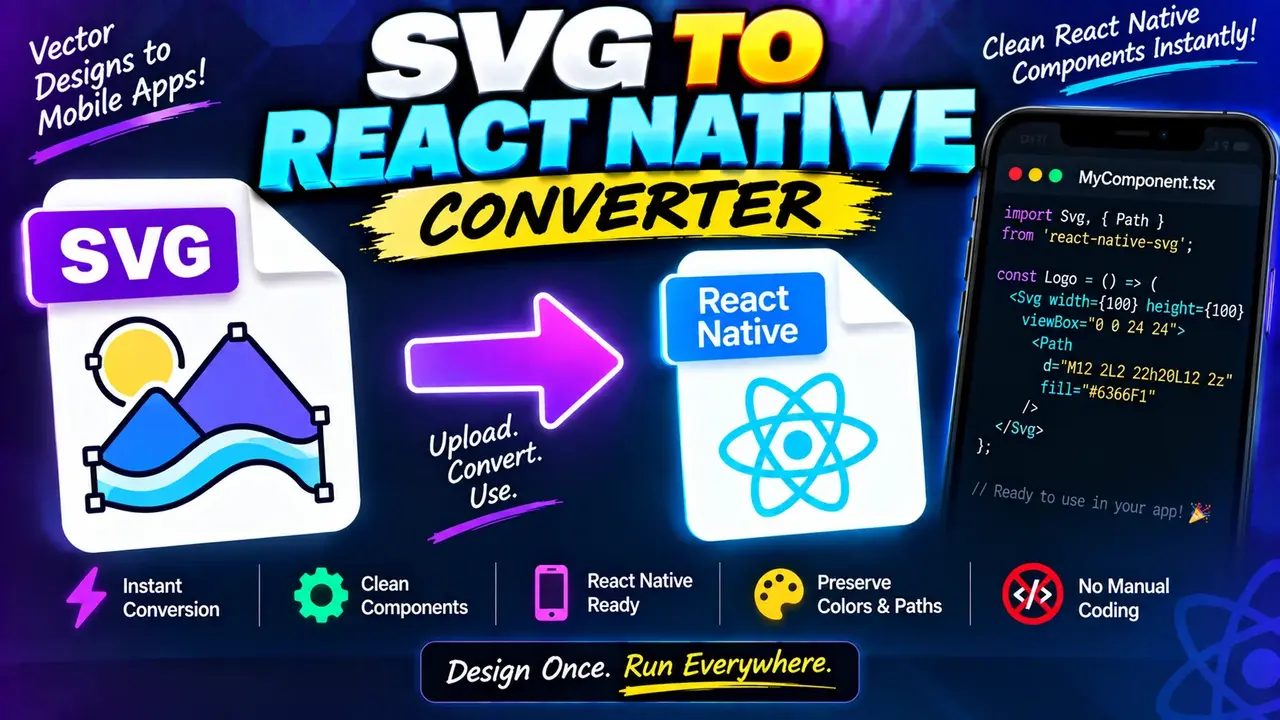
SVG to React Native Converter
TL;DR Summary
The SVG to React Native Converter is intended to transform SVG markup into React Native-compatible code, helping developers move vector graphics into React Native projects. The supplied tool information does not document its exact conversion rules or privacy behavior, so results should be reviewed before use and users should avoid entering sensitive SVG content unless the page clearly explains how submitted data is handled.
About the SVG to React Native Converter
The SVG to React Native Converter is a developer utility for converting SVG content into code that can be used in a React Native application. SVG, or Scalable Vector Graphics, is a markup-based format commonly used for icons, logos, illustrations, and other vector artwork. React Native applications do not always use raw browser SVG markup in the same way as a standard web page, so developers may need to adapt SVG elements, attributes, and structure before using them in a mobile application.
This tool is designed around that conversion task. Instead of manually rewriting SVG markup, a developer can use the converter as a starting point for producing React Native-oriented code. This can be useful when moving an existing icon or illustration from a web project into a React Native codebase.
What You Can Convert
The primary input for this type of utility is SVG markup. An SVG normally contains XML-style elements such as <svg>, <path>, <circle>, <rect>, <line>, and other vector elements. These elements can contain attributes that describe dimensions, coordinates, fills, strokes, transforms, and other visual properties.
The expected output is React Native-compatible code or component markup derived from the supplied SVG. The exact output syntax, supported SVG elements, attribute mappings, formatting, and conversion options are not documented in the supplied tool context. For that reason, this page does not claim support for any particular React Native SVG library or a specific internal transformation rule.
If your project uses a particular SVG library, check the generated result against that library's current API. A converter can provide useful code to start from, but generated code may still need small edits to match the dependencies and conventions of your application.
Who Can Use It?
The tool is relevant to React Native developers, mobile app developers, frontend developers, UI engineers, and designers who work with SVG assets. It can also help developers who already have SVG files or snippets from a website and want to adapt them for a React Native project.
For example, a developer may have an SVG icon used in a website and need an equivalent representation for a React Native screen. Rather than manually translating every SVG element, the developer can use the converter as part of the initial migration process and then inspect the resulting code.
How to Use the SVG to React Native Converter
- Step 1: Prepare the SVG markup you want to convert. Make sure the input is valid SVG text and includes the vector elements you want to preserve.
- Step 2: Enter or paste the SVG into the converter's input area.
- Step 3: Run the conversion using the tool's available conversion action.
- Step 4: Review the generated React Native-oriented code and compare it with the original SVG.
- Step 5: Adapt the generated code to the React Native project and SVG library used by your application, if additional changes are required.
- Step 6: Test the resulting component in the target application to confirm that the visual result and required attributes behave as expected.
Technical Explanation
This is a converter rather than a mathematical calculator, so there is no single numerical formula that can accurately describe the transformation. The general conversion process is a structural mapping: SVG markup is read as a collection of vector elements and attributes, and those structures are represented in a React Native-oriented form.
A simplified conceptual mapping can look like this:
| SVG concept | Conversion purpose |
|---|---|
| SVG root element | Provides the overall vector container and related properties. |
| Path elements | Represent vector paths that need to be expressed in the React Native output. |
| Shape elements | Represent basic vector shapes such as circles or rectangles. |
| Fill and stroke attributes | Describe visual styling that may need to be mapped into the target representation. |
| Dimensions and view settings | Help preserve the SVG's sizing and coordinate behavior where supported. |
| Transforms | Represent positioning, scaling, rotation, or related vector transformations where supported. |
These mappings are a general explanation of SVG-to-React-Native conversion, not a claim about hidden implementation details of this specific tool. The supplied tool context does not provide an exact element-by-element conversion specification.
Input and Output Reference
| Item | Expected role |
|---|---|
| Input | SVG markup or SVG code |
| Output | React Native-oriented code generated from the SVG |
| Units | SVG attributes may contain values such as pixels, percentages, or unitless numbers; the converter's exact handling is not documented. |
| File format | The supplied context does not specify whether file upload is supported, so SVG text should not be assumed to be uploadable. |
Example Conversion Workflow
Suppose an SVG contains a simple vector icon with a root <svg> element and one or more drawing elements. The conversion workflow is not a mathematical calculation such as multiplying one value by a fixed factor. Instead, the tool interprets the SVG structure and produces a React Native-oriented representation.
The important point is that the visual intent of the SVG should be preserved during conversion. After conversion, inspect attributes such as dimensions, paths, fills, strokes, view settings, and transforms. If the generated code depends on a particular React Native SVG package, make sure that package is installed and that the generated component syntax matches the version used by your project.
Why Use This SVG to React Native Converter & How Our SVG to React Native Converter Beats the Competition
The practical value of an SVG converter is that it provides a structured starting point for adapting vector markup to another development environment. Different approaches have different trade-offs, and the right choice depends on the complexity of the SVG and the needs of the project.
| Method | Ease of Use | Calculation Speed | Best For | Limitations |
|---|---|---|---|---|
| Toolhox SVG to React Native Converter | Designed for direct SVG-to-code conversion | Conversion rather than manual rewriting | Developers adapting SVG markup for React Native | Generated code should be reviewed; exact supported syntax is not documented in the supplied context. |
| Manual Conversion | Requires development knowledge | Depends on the developer | Small edits or unusual SVG structures | Can require careful element and attribute mapping. |
| Spreadsheet Calculation | Not applicable to SVG code conversion | Not applicable | Numerical data rather than markup conversion | Not designed to translate SVG structures into React Native code. |
| Professional Development Software | Varies by application | Varies by workflow | Larger development and asset workflows | May involve a broader setup than a focused conversion task. |
Assumptions and Limitations
The main assumption is that the supplied content is SVG markup that can be interpreted as vector graphics. The exact SVG features supported by the converter are not documented in the supplied tool context. Advanced SVG features may therefore require manual review or adjustment after conversion.
SVG is a broad format. An SVG can contain simple paths and shapes, but it can also include styles, gradients, masks, filters, clipping paths, embedded resources, text, animations, metadata, and other features. A conversion workflow may not preserve every browser-specific behavior or every SVG feature in the same way.
The React Native side also matters. React Native projects can use different approaches and libraries for rendering SVG content. Generated code should therefore be checked against the actual dependencies and React Native environment used by the project.
For production applications, do not treat generated output as automatically production-ready code without testing it. Review the generated component, confirm that required dependencies are available, and test the visual output on the platforms that matter to your application.
Privacy behavior is not specified in the supplied tool information. Do not enter confidential, proprietary, or sensitive SVG content unless the page clearly states how submitted data is handled. The tool should be treated as a conversion aid, and users remain responsible for reviewing the generated code before adding it to a production codebase.
