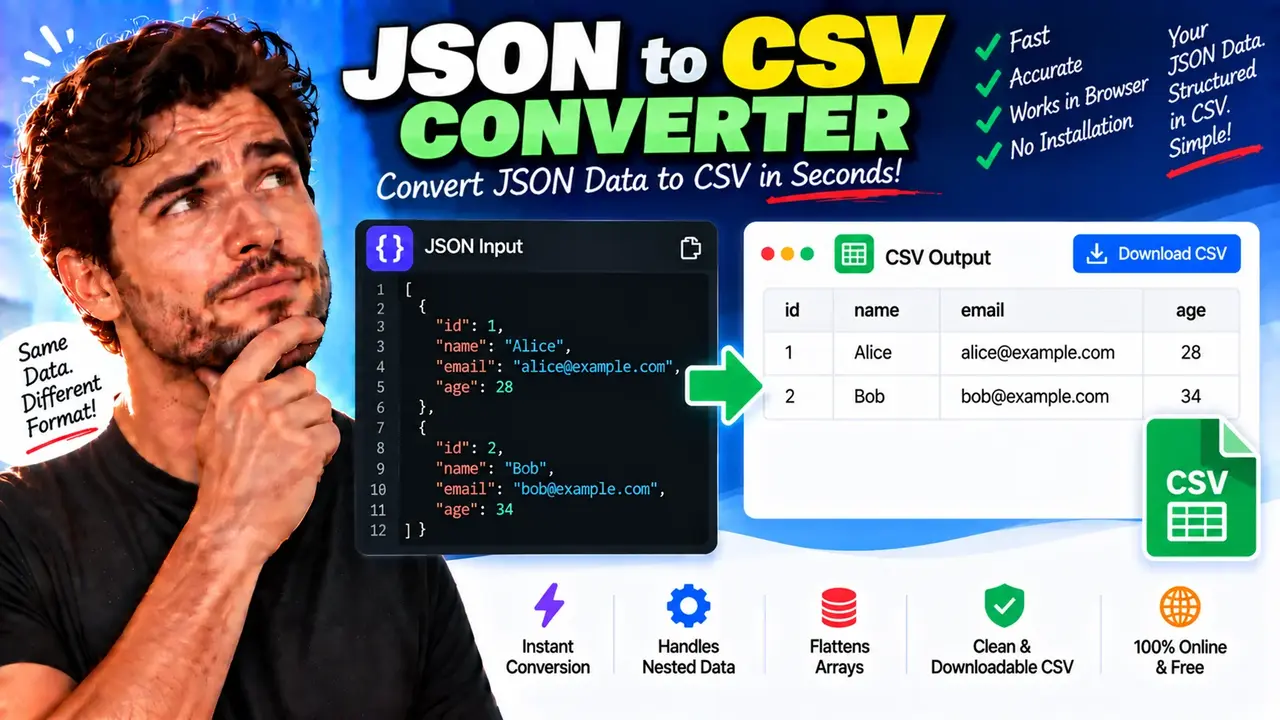
Online JSON to CSV Converter
TL;DR Summary
The JSON to CSV Converter changes JSON data into CSV format so it can be opened, reviewed, or worked with in spreadsheet and data-processing tools. It is intended for straightforward format conversion; because the supplied tool context does not confirm how data is processed or stored, avoid entering sensitive information unless the page clearly explains its data-handling practices.
About the JSON to CSV Converter
The JSON to CSV Converter is a data-format conversion tool for turning JSON (JavaScript Object Notation) into CSV (Comma-Separated Values). JSON and CSV are both common ways to represent data, but they are designed for different uses. JSON is often used by websites, APIs, applications, and developers, while CSV is commonly used for spreadsheets, tables, imports, exports, and simple data analysis.
This converter is useful when you have structured JSON and need a tabular CSV version. For example, a JSON dataset containing a list of people, products, orders, records, or other objects can often be represented as rows and columns in CSV. Converting the data can make it easier to open in spreadsheet software or pass it to a system that expects CSV input.
The main input is JSON data. A typical input is a JSON array containing objects with related fields. For example, a simple dataset might contain fields such as name, email, and city. The corresponding CSV output can represent those fields as column headers and each object as a row.
The output is CSV text. CSV uses delimiters, normally commas, to separate fields within each row. Values that contain commas, quotation marks, or line breaks need appropriate CSV escaping so that the resulting file remains structurally valid. A JSON to CSV conversion therefore involves more than simply replacing JSON punctuation with commas.
What Inputs Are Required?
The required input is JSON data that can be interpreted as structured JSON. The most useful input for a JSON-to-CSV conversion is a JSON array of objects where the objects contain fields that can become columns.
For example:
[
  {"name":"Alice","age":30,"city":"Boston"},
  {"name":"Brian","age":28,"city":"Chicago"}
]
In this example, name, age, and city can become CSV column headers. Each JSON object can then become a CSV data row.
The supplied tool information does not document additional optional controls such as custom delimiters, nested-object handling, column selection, array expansion, or output encoding. Do not assume those options are available unless they are shown by the actual tool interface.
What Does the Converter Produce?
The converter produces CSV-formatted data from the supplied JSON. A basic conversion of the example above would result in:
name,age,city
Alice,30,Boston
Brian,28,Chicago
CSV does not have the same nested data structure as JSON. JSON can naturally contain objects and arrays inside other objects, while CSV is fundamentally tabular. As a result, complex JSON may require a defined approach for representing nested values. The exact behavior for nested objects, arrays, missing fields, or inconsistent object structures depends on the converter implementation and is not specified in the supplied tool information.
How to Use the JSON to CSV Converter
- Step 1: Prepare the JSON data you want to convert. Make sure it is valid JSON and that the structure is suitable for a table.
- Step 2: Enter or paste the JSON into the converter's input area.
- Step 3: Start the conversion using the control provided by the tool.
- Step 4: Review the generated CSV data and check that the columns and rows represent the source JSON as expected.
- Step 5: Copy or use the CSV output according to the options provided by the tool.
Technical Explanation
Unlike a unit converter, a JSON to CSV converter does not use a single mathematical formula. It performs a structural data transformation. The general process is to read valid JSON, identify the tabular records and their fields, create CSV columns from the applicable fields, and serialize each record as a CSV row.
For a simple array of flat objects, the conceptual mapping is:
JSON array → object fields → CSV headers
JSON objects → field values → CSV rows
For example, given:
[
  {"product":"Notebook","price":12},
  {"product":"Pen","price":3}
]
the corresponding basic CSV representation is:
product,price
Notebook,12
Pen,3
CSV values may need quoting when a value contains a comma, quotation mark, or line break. For example, a value such as New York, NY needs to be represented in CSV in a way that prevents the comma inside the value from being mistaken for a column separator. Standard CSV escaping normally uses double quotes around such a value.
JSON Structure and CSV Compatibility
| JSON Structure | Typical CSV Representation |
|---|---|
| Array of flat objects | Rows with object properties as columns |
| String or number property | Single CSV field |
| Missing property | May produce an empty field or follow the converter's handling rules |
| Nested object | Requires a conversion rule because CSV has no native nested-object structure |
| Array inside an object | Requires a conversion rule because CSV is tabular |
Preset Examples / Quick Reference
A simple JSON array with two records can be converted as follows:
JSON:
[
  {"name":"Alice","role":"Designer"},
  {"name":"Brian","role":"Developer"}
]

CSV:
name,role
Alice,Designer
Brian,Developer
The key point is that each JSON object represents a record, while the shared object properties provide the columns. This structure is especially convenient when the records use consistent field names.
Common JSON-to-CSV Issues
- Invalid JSON: Missing quotation marks, commas, brackets, or braces can prevent the input from being parsed correctly.
- Inconsistent fields: Different objects may contain different properties, which can affect the resulting table.
- Nested data: Objects and arrays do not map directly to ordinary CSV columns.
- Commas inside values: CSV requires proper field quoting when values contain the delimiter.
- Line breaks inside values: These require correct CSV escaping to avoid creating unintended rows.
Why Use This JSON to CSV Converter & How Our JSON to CSV Converter Beats the Competition
The practical advantage of a dedicated JSON to CSV Converter is that it focuses on one common transformation: turning structured JSON into tabular CSV data. The comparison below describes trade-offs between common approaches without making unsupported claims about competing products.
| Method | Ease of Use | Calculation Speed | Best For | Limitations |
|---|---|---|---|---|
| Toolhox JSON to CSV Converter | Designed for direct JSON-to-CSV conversion | Depends on the input and tool implementation | Quick format conversion | Complex JSON behavior depends on the supported conversion rules |
| Manual Conversion | Low for large datasets | Depends on the amount of manual work | Very small datasets or one-off edits | Easy to introduce formatting or data errors |
| Spreadsheet Workflow | Varies by spreadsheet software | Depends on the workflow and dataset | Users already working with tabular data | JSON structure may require additional import or transformation steps |
| Professional Data Software | Often requires more setup | Depends on the software and workflow | Repeatable or complex data-processing tasks | May be unnecessary for a simple conversion |
Assumptions and Limitations
The main assumption for a straightforward conversion is that the JSON contains records that can reasonably be represented as rows and columns. Flat arrays of objects are the clearest example. JSON is more flexible than CSV, so some JSON structures cannot be represented in CSV without deciding how nested information should be flattened.
The exact treatment of nested objects, nested arrays, missing properties, duplicate field names, special characters, encoding, delimiters, and other edge cases is not specified in the supplied tool context. Users should review the generated CSV before using it in an important workflow.
The conversion should be treated as a format transformation rather than a guarantee that every possible JSON structure will map perfectly to a flat table. If the data is complex or business-critical, verify the output against the original JSON and the requirements of the system that will consume the CSV.
The supplied information also does not confirm the tool's data-processing or storage behavior. Avoid entering confidential, personal, financial, authentication, or other sensitive information unless the page clearly explains how that information is handled.
Who Can Use a JSON to CSV Converter?
Developers can use the tool when they need a tabular version of JSON data. Data analysts can use CSV output as an intermediate format for spreadsheet or data workflows. Students and general users may find it useful when a dataset is provided in JSON but needs to be viewed as rows and columns. Anyone moving structured records between systems can also use JSON-to-CSV conversion when CSV is the required format.
For the best results, start with valid JSON and check the converted CSV before importing it into another application. This simple review is especially important when the original JSON contains nested structures or inconsistent records.