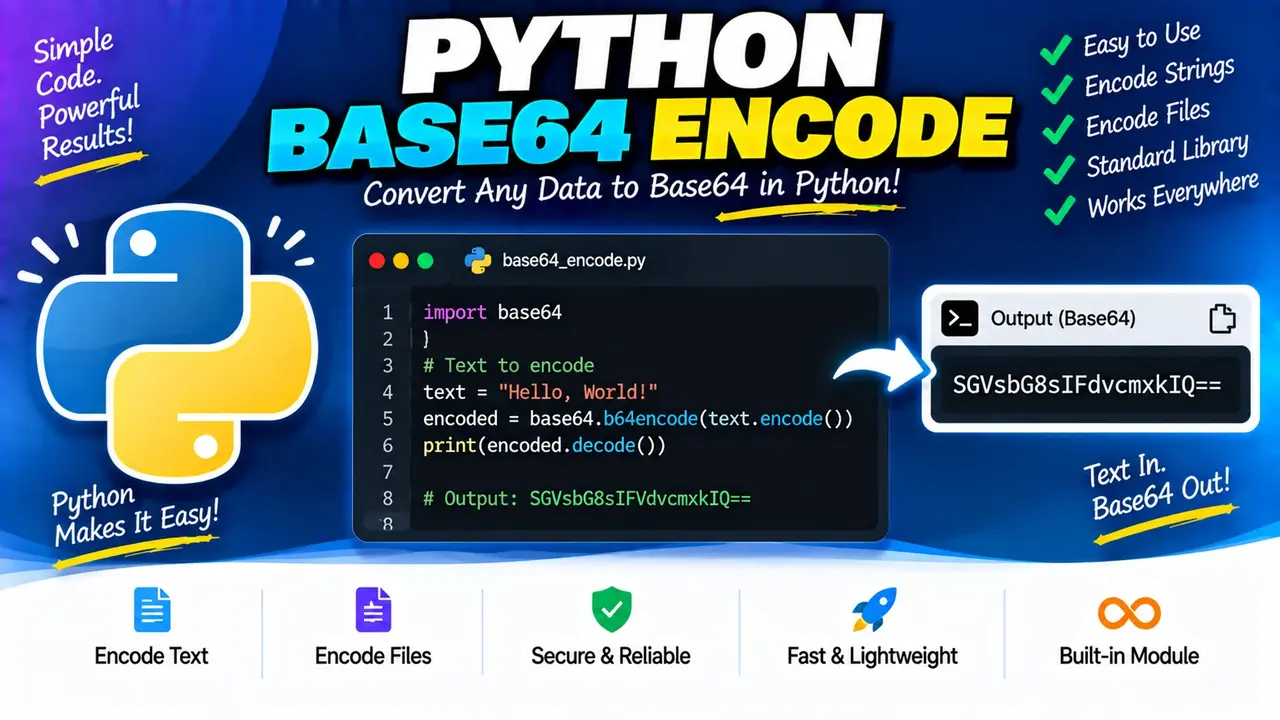
Online Python Base64 Encoder & Decoder
TL;DR Summary
Python Base64 Encoder & Decoder is a web utility for converting text to Base64 and decoding Base64 back into readable text, using the standard Base64 approach associated with Python's base64 module. The supplied tool information does not confirm how data is processed or stored, so avoid entering sensitive information unless the page clearly explains its data-handling behavior.
The supplied tool context identifies this utility as Python Base64 Encoder & Decoder. :contentReference[oaicite:0]{index=0} The tool name indicates two core operations: Base64 encoding and Base64 decoding. Base64 is an encoding format that represents binary data using printable ASCII characters. Python provides Base64 functions through its standard base64 module. The standard Python documentation describes base64.b64encode() as encoding bytes into Base64 and base64.b64decode() as decoding Base64 data back into bytes. :contentReference[oaicite:1]{index=1}
This tool is useful when you need to inspect, create, or reverse a Base64 representation while working with Python-related data, code examples, APIs, configuration values, web development, or general text conversion. Base64 is not encryption. It changes the representation of data, but it does not provide confidentiality or password protection. Anyone who has a Base64 value can generally decode it when the required input format is known.
What Does Python Base64 Encoder & Decoder Do?
The tool is designed around the two common Base64 operations: encode and decode.
- Base64 Encode: Converts input text or data into a Base64 representation.
- Base64 Decode: Converts Base64-formatted input back into its decoded data or text representation.
Base64 is commonly used when binary or text data needs to be represented with a restricted set of printable characters. Python's standard library supports the RFC 4648 Base64 format and also provides URL-safe Base64 functions. :contentReference[oaicite:2]{index=2}
The exact interface options, maximum input size, error handling, and output presentation of the Toolhox implementation are not provided in the supplied tool context. Therefore, this page describes the standard Base64 logic suggested by the tool's stated purpose rather than claiming hidden implementation details.
Who Can Use This Tool?
Python developers, web developers, students, API users, software testers, and anyone working with Base64-formatted values can use a Python Base64 Encoder & Decoder. It can also help when learning how Python's Base64 functions work or when checking a small Base64 value without writing a separate script.
For developers, the tool can be useful alongside Python code that uses functions such as base64.b64encode() and base64.b64decode(). Python's documentation shows that the modern Base64 interface works with bytes-like objects for encoding and can accept bytes-like objects or ASCII strings for decoding. :contentReference[oaicite:3]{index=3}
Inputs and Outputs
| Operation | Typical Input | Typical Output |
|---|---|---|
| Encode | Text or data that can be represented as bytes | Base64-encoded text |
| Decode | Base64-encoded text | Decoded data or text |
The exact input controls and output display provided by the Toolhox page are not specified in the supplied material. If the interface provides separate Encode and Decode controls, choose the operation that matches the data you have.
How to Use Python Base64 Encoder & Decoder
- Step 1: Decide whether you need to encode ordinary input into Base64 or decode an existing Base64 value.
- Step 2: Enter the text or Base64 value into the tool's input area.
- Step 3: Select the operation that matches your input: encoding for converting data to Base64 or decoding for converting Base64 back into its original representation.
- Step 4: Run the conversion using the available tool control.
- Step 5: Review the resulting output and copy it for use in your Python code, development workflow, or other supported task.
Technical Explanation and Formula
Base64 works by converting binary data into groups of printable characters. In the standard Base64 scheme, three bytes of input contain 24 bits. Those 24 bits are divided into four groups of 6 bits. Each 6-bit value is mapped to one character from the Base64 alphabet. When the original input does not contain a complete group of three bytes, padding may be represented with the = character.
For a Python implementation using the standard library, the basic operations are conceptually:
encoded = base64.b64encode(data)
decoded = base64.b64decode(encoded)
The Python documentation states that b64encode(s) returns Base64-encoded bytes and that b64decode(s) returns the decoded bytes. :contentReference[oaicite:4]{index=4}
For text, the data normally needs to be represented as bytes before standard Python Base64 encoding. A common UTF-8 workflow is:
encoded = base64.b64encode(text.encode("utf-8"))
After decoding, the resulting bytes can be converted back to text when the original data is text and the correct character encoding is known:
decoded_text = base64.b64decode(encoded).decode("utf-8")
These code examples describe the standard Python method, not a claim about the hidden implementation of the Toolhox page.
Base64 Example
| Action | Example |
|---|---|
| Original text | Hello |
| Base64 output | SGVsbG8= |
| Decoded Base64 | Hello |
The value Hello encodes to SGVsbG8= using standard Base64. Decoding that Base64 value returns the original text. Python's official documentation provides the same general encode-and-decode workflow for Base64 data. :contentReference[oaicite:5]{index=5}
Standard Base64 and URL-Safe Base64
Standard Base64 uses an alphabet that includes characters such as + and /. Python also provides a URL- and filesystem-safe variant. The URL-safe functions substitute - for + and _ for /. :contentReference[oaicite:6]{index=6}
Do not assume that every Base64-looking string uses the same variant. If a value contains URL-safe characters or comes from a system that specifies a URL-safe Base64 format, the matching decoding method may be required.
Why Use This Python Base64 Encoder & Decoder & How Our Python Base64 Encoder & Decoder Beats the Competition
The practical advantage of a dedicated conversion page is that it provides a focused way to perform a Base64 conversion without manually writing a Python snippet. However, different methods are useful for different situations. The comparison below describes general trade-offs rather than claiming unsupported performance advantages.
| Method | Ease of Use | Calculation Speed | Best For | Limitations |
|---|---|---|---|---|
| Toolhox Python Base64 Encoder & Decoder | Simple web-based workflow | Designed for direct conversion | Quick Base64 encode or decode tasks | Exact interface limits and data-handling behavior are not specified in the supplied tool context |
| Manual calculation | Difficult | Not practical for repeated conversions | Learning how Base64 works at the bit level | Easy to make character, grouping, or padding mistakes |
| Python script | Requires coding | Suitable for automated workflows | Applications, scripts, and repeated processing | Requires Python code and an execution environment |
| Spreadsheet | Depends on available functions or formulas | Depends on the spreadsheet setup | Workflows already based in spreadsheets | Base64 support may require additional formulas or code |
| Professional software | Depends on the software | Depends on the software | Larger development or data workflows | May provide more features than needed for a simple conversion |
This tool should be viewed as a conversion utility, not as a security mechanism. Base64 encoding does not encrypt information. It is a reversible representation. Sensitive values such as passwords, private keys, access tokens, personal records, or confidential business data should only be entered when the page's data-handling policy is understood and permits that use.
Common Base64 Errors
A decoder can reject input when the value is malformed, incorrectly padded, or not valid for the expected Base64 alphabet. Python's standard b64decode() documentation notes that incorrectly padded Base64 data can raise an error. It also describes different behavior depending on whether strict validation is requested. :contentReference[oaicite:7]{index=7}
When a decoding attempt fails, check for copied characters, missing padding, extra characters, line breaks, or a mismatch between standard Base64 and a URL-safe Base64 variant.
Assumptions and Limitations
- The tool is treated as a standard Python-oriented Base64 encoder and decoder based on its supplied name.
- The exact Toolhox implementation details were not supplied, so the standard Python Base64 behavior is used to explain the underlying logic.
- The standard Base64 workflow operates on bytes, while text must use an appropriate character encoding such as UTF-8 when converting between text and bytes.
- Base64 is encoding, not encryption. It should not be used as a way to protect confidential information.
- The supplied information does not confirm whether input is processed locally, sent to a server, logged, or stored. Users should check the page's privacy information before entering sensitive data.
- The tool should not be treated as a replacement for application-level validation or security controls.
For larger or repeated conversions, Python's own base64 module may be more appropriate because it can be used directly in scripts and applications. For a simple one-off conversion, a dedicated web utility can provide a more direct workflow.