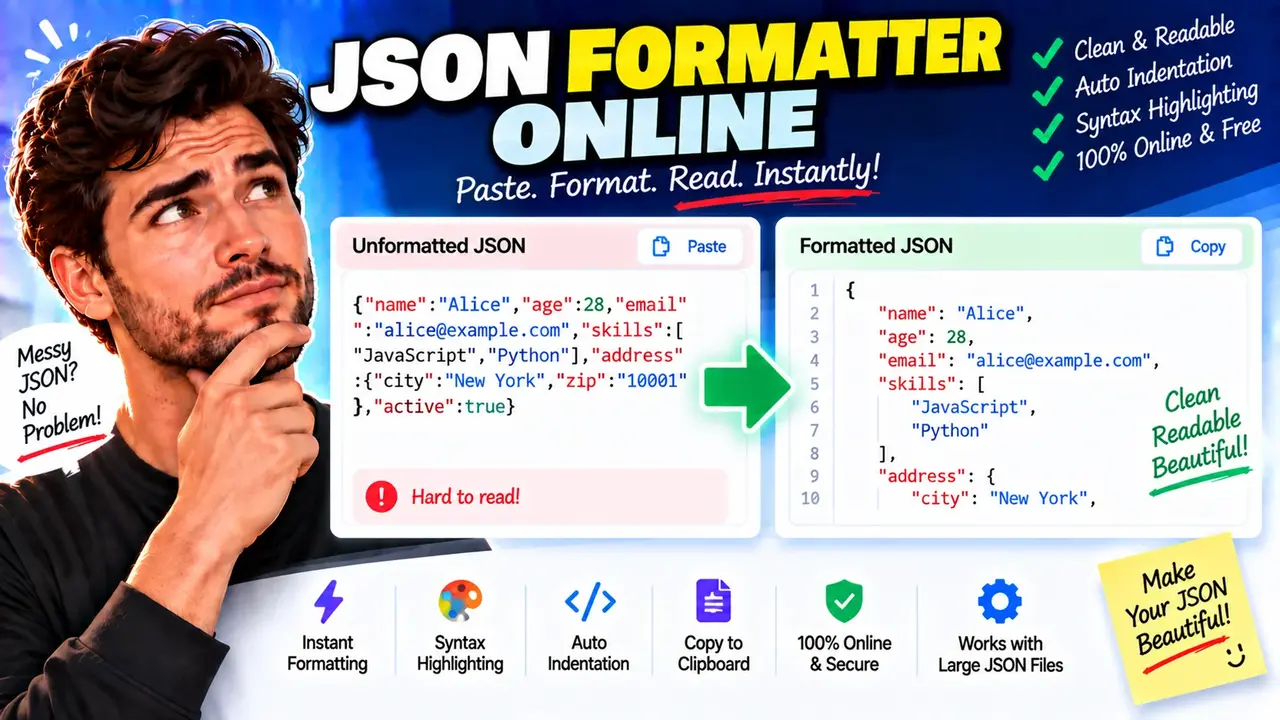
Free JSON Formatter Online
TL;DR Summary
JSON Formatter Online helps you format JSON into a cleaner, easier-to-read structure so you can inspect and work with JSON more easily. The supplied tool information does not confirm how JSON data is processed or stored, so avoid entering sensitive information unless the page clearly explains its data-handling practices.
About JSON Formatter Online
JSON Formatter Online is a browser-based utility for making JSON easier to read and inspect. JSON, or JavaScript Object Notation, is a common text format used to exchange structured data between websites, applications, APIs, and software systems. Raw JSON can be difficult to review when it is written as one long line or uses inconsistent spacing. A formatter organizes that same JSON into a readable structure.
The main purpose of a JSON formatter is readability. It can add indentation, line breaks, and spacing around the existing JSON structure without changing the meaning of valid JSON. This makes nested objects and arrays easier to follow. It is useful when reviewing API responses, configuration data, application output, request payloads, or JSON copied from another source.
Developers can use JSON Formatter Online when they need to quickly inspect a JSON document without manually adding spaces and line breaks. Students and learners can also use it to see how objects, arrays, strings, numbers, Boolean values, and null values are arranged. Anyone working with JSON text may find formatted output easier to scan than compact JSON.
What You Enter
The primary input is JSON text. You can provide the JSON document you want to format in the tool's input area. The input should follow JSON syntax if you want it to be parsed and formatted as structured JSON.
A JSON document may contain objects, arrays, strings, numbers, Boolean values such as true and false, and the null value. Objects use name-and-value pairs, while arrays contain ordered values. These structures can be nested inside one another.
What You Get
The expected output is formatted JSON that is easier to read. Formatting normally changes presentation rather than the underlying data. For example, compact JSON such as {"name":"Alex","items":[1,2,3]} can be displayed with indentation and line breaks so that each part is easier to inspect.
A formatter is different from a tool that converts JSON into another data format. The goal here is to improve the presentation of JSON rather than turn it into CSV, XML, or another unrelated format.
How to Use JSON Formatter Online
- Step 1: Open JSON Formatter Online and place the JSON text you want to inspect into the available input area.
- Step 2: Check that the text is intended to be JSON and follows standard JSON syntax.
- Step 3: Run the formatter using the tool's available formatting action.
- Step 4: Review the formatted result, paying attention to nested objects, arrays, and key-value pairs.
- Step 5: Copy or use the formatted JSON where needed, and verify the result before using it in an application or API request.
Technical Explanation
JSON formatting is primarily a presentation operation. A formatter reads JSON according to standard JSON syntax and produces a structured text representation with indentation and line breaks.
There is no numerical calculation formula for this tool. Instead, the basic logic can be described as:
Formatted JSON = Parsed JSON structure + readable indentation and line breaks
The parser identifies the structure of the JSON, including objects, arrays, keys, and values. The formatter then represents that structure with whitespace that makes nesting visible.
For example, this compact JSON:
{"name":"Alex","active":true,"items":[1,2,3]}
can be represented in a readable form as:
{
  "name": "Alex",
  "active": true,
  "items": [
    1,
    2,
    3
  ]
}
The values remain the same. The main difference is the addition of whitespace and line breaks for readability.
JSON Syntax to Watch For
| JSON Element | Example | Purpose |
|---|---|---|
| Object | {"name":"Alex"} |
Stores key-value pairs. |
| Array | ["red","blue"] |
Stores an ordered list of values. |
| String | "Alex" |
Stores text. |
| Number | 42 |
Stores a numeric value. |
| Boolean | true |
Stores a true or false value. |
| Null | null |
Represents a null value. |
Formatting Does Not Automatically Fix Every JSON Problem
It is important to distinguish formatting from correcting invalid data. If JSON contains a syntax problem, such as a missing quotation mark, an incorrectly placed comma, or an invalid structural character, a formatter may not be able to produce normal formatted output. A parser must first be able to understand the input as JSON.
Common JSON syntax problems include trailing commas, unquoted property names, mismatched brackets or braces, and strings that contain improperly escaped characters. JSON also uses double quotation marks for strings and object keys. Text that looks similar to JSON is not necessarily valid JSON.
Preset Examples / Quick Reference
| Input Type | Example | What Formatting Helps With |
|---|---|---|
| Simple object | {"id":101,"name":"Alex"} |
Separates individual properties. |
| Array | [{"id":1},{"id":2}] |
Makes each array item easier to inspect. |
| Nested JSON | {"user":{"name":"Alex","roles":["admin","user"]}} |
Shows relationships between nested objects and arrays. |
Why Use This JSON Formatter Online & How Our JSON Formatter Online Beats the Competition
JSON Formatter Online provides a focused way to make JSON easier to inspect. The practical alternative depends on what you need to do with the data. Manual formatting can work for a very small JSON document, while a spreadsheet or professional development environment may be more suitable for broader workflows. A dedicated formatter is intended specifically for readable JSON presentation.
| Method | Ease of Use | Calculation Speed | Best For | Limitations |
|---|---|---|---|---|
| Toolhox JSON Formatter Online | Focused on JSON formatting | Designed for direct formatting | Making JSON easier to read and inspect | Does not replace a full development environment or specialized data workflow. |
| Manual Formatting | Requires manual editing | Depends on document size and editing effort | Very small JSON snippets | Easy to introduce spacing or syntax mistakes. |
| Spreadsheet | Requires a different workflow | Depends on the spreadsheet and task | Tabular data analysis | Not primarily designed for preserving nested JSON structure. |
| Professional Development Software | More tools and setup may be involved | Depends on the environment | Development and larger software workflows | May provide more functionality than needed for simple formatting. |
Assumptions and Limitations
JSON Formatter Online should be treated as a formatting and inspection utility, not as a substitute for testing an application or validating business logic. Formatting can make structure easier to see, but readable JSON does not automatically mean that the data is correct for your application.
The quality of the result depends on the input. Valid JSON can be formatted according to its structure. Invalid or incomplete JSON may produce an error or fail to format normally. If the JSON comes from an API, configuration file, or application, you should still verify that the values and structure are appropriate for the system that will use them.
The supplied tool information does not establish a specific privacy or storage policy. Do not assume that JSON entered into the page is automatically private, stored, or processed only in your browser. Avoid entering passwords, access tokens, personal records, private API responses, or other sensitive information unless the page clearly states how that information is handled.
For software development, formatted JSON is useful for inspection, but it should not be the only check before deploying data or code. Review the syntax, expected schema, required fields, value types, and application-specific requirements separately when those details matter.
