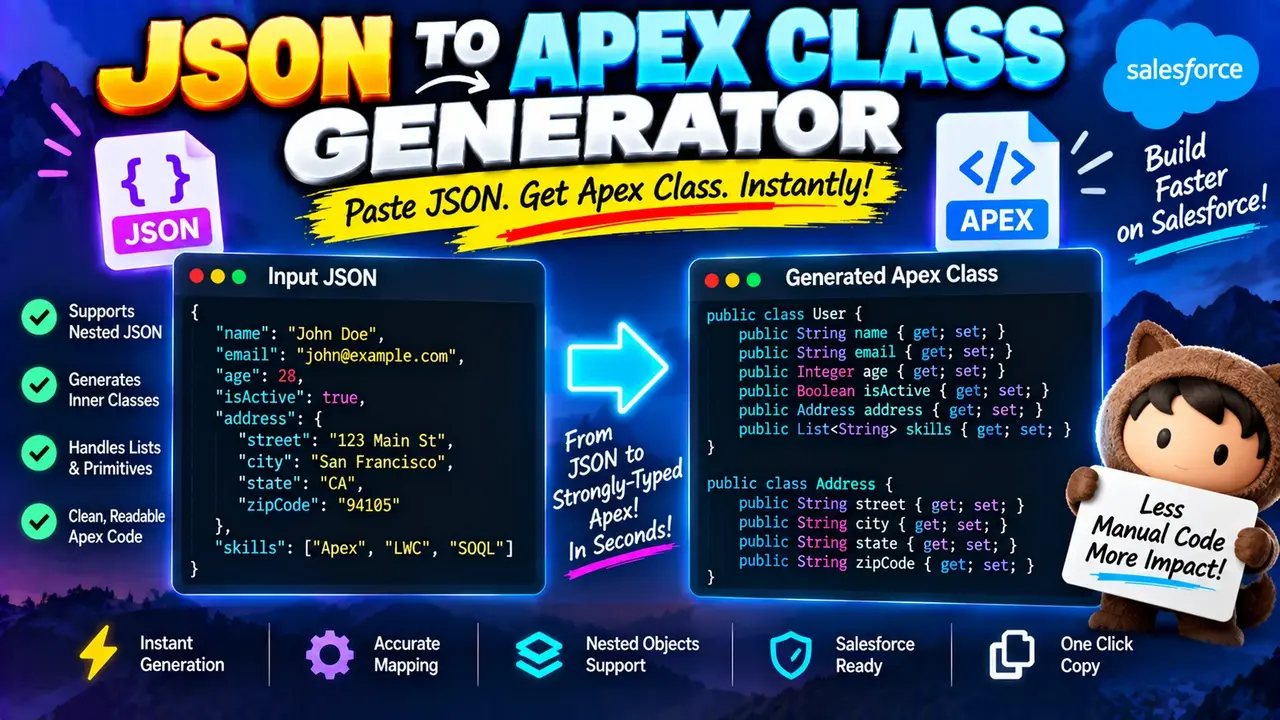
Json To Apex Class Generator
TL;DR Summary
Json To Apex Class Generator turns JSON data structures into Apex class code that can be used as a starting point for working with JSON in Salesforce development. The exact generated code depends on the JSON you provide and the generator's supported mapping rules; privacy behavior is not specified, so avoid entering sensitive or confidential data unless the page clearly explains how submitted data is handled.
About Json To Apex Class Generator
Json To Apex Class Generator is a developer utility designed to help convert JSON into Apex class definitions. JSON, or JavaScript Object Notation, is widely used for API responses, request bodies, configuration data, and integrations. Apex is Salesforce's programming language, and Apex classes are commonly used to represent and work with structured data in Salesforce applications.
Writing Apex classes by hand from a large JSON response can be repetitive. A JSON document may contain many fields, nested objects, arrays, Boolean values, numbers, strings, and other structures. A JSON to Apex generator can use that structure as the basis for producing Apex class code, giving developers a code starting point instead of requiring every field and nested type to be written manually.
The main input for this tool is JSON. You can provide a JSON object or another JSON structure supported by the tool. The structure of the JSON determines the fields and relationships that can be represented in the generated Apex code. The output is Apex class code based on the supplied JSON structure.
Who Can Use This Tool?
This tool is mainly useful for Salesforce developers, Apex developers, integration developers, and people working with REST APIs that exchange JSON data. It can also help developers who are learning how JSON structures map to typed programming language classes.
For example, an API response might contain customer information, an order, product details, or a collection of records. Instead of manually inspecting every property and creating corresponding Apex fields, you can use the JSON structure as the input for generating a starting class definition.
What You Enter
The primary input is JSON. A typical JSON object might contain fields such as a name, identifier, status, Boolean flag, number, or nested object. Arrays can also appear in JSON and may represent a list of records or values.
The most useful input is valid JSON with a structure that reflects the data you expect to work with. If the input is malformed, incomplete, or not valid JSON, a generator may not be able to determine the required Apex structure correctly.
The tool does not require you to manually specify every Apex field when the field information can be inferred from the supplied JSON structure. The JSON itself provides the names and value structures used as the basis for the generated class.
What You Get
The output is Apex class code representing the supplied JSON structure. Depending on the JSON structure and the generator's supported rules, this can include Apex properties or fields for JSON values and additional class structures for nested JSON objects.
Simple JSON values can generally be represented with corresponding Apex data types. Text values can map to String, Boolean values to Boolean, and numeric values to an appropriate numeric Apex type based on the value and the conversion rules being used. JSON arrays may be represented using Apex collection types such as List<T>. Nested JSON objects can require additional Apex classes or nested type definitions.
How to Use
- Step 1: Prepare the JSON you want to represent as Apex classes. Make sure the structure is valid JSON and includes the fields you expect to receive or process.
- Step 2: Enter or paste the JSON into the Json To Apex Class Generator input area provided by the tool.
- Step 3: Run the generator so the JSON structure can be used to create the corresponding Apex class code.
- Step 4: Review the generated Apex code, including field names, data types, collections, and nested class structures.
- Step 5: Adapt and test the generated code in your Salesforce project before using it in production.
Technical Explanation and JSON-to-Apex Mapping
This is a generator rather than a mathematical calculator, so there is no single numerical formula. Its core logic is structural: JSON fields and value types are used as the basis for Apex class definitions.
A standard JSON-to-Apex mapping can be understood as follows:
| JSON structure | Typical Apex representation |
|---|---|
| String value | String |
| Boolean value | Boolean |
| Integer-like number | Integer or another suitable numeric type |
| Decimal number | Decimal or another suitable numeric type |
| JSON array | List<T> or another suitable collection representation |
| Nested JSON object | Apex class or nested type structure |
| Null value | Requires type inference or developer review |
These mappings describe the standard approach to converting JSON structures into typed Apex structures. They should not be treated as a statement about hidden implementation details of the generator. The exact type selected for a particular JSON value depends on the generator's conversion rules and the information available in the supplied JSON.
Example
Consider this simple JSON structure:
{
  "name": "Alex",
  "age": 30,
  "active": true
}
A corresponding Apex representation could conceptually contain fields such as:
public class Example {
    public String name;
    public Integer age;
    public Boolean active;
}
This example demonstrates the basic relationship between JSON property names and Apex fields. A real generated result may use different field declarations, class naming, annotations, accessors, or serialization-related patterns depending on the generator's implementation.
Nested JSON and Arrays
Real API responses are often more complex than a flat object. A JSON response can contain an object inside another object or an array containing multiple records. These structures matter because the resulting Apex representation needs to preserve the relationship between the values.
For example, a JSON property containing an array of objects generally needs a collection representation in Apex. A nested object generally needs its own structured type. When reviewing generated code, pay particular attention to these areas because they determine whether the classes correctly represent the API response you plan to deserialize.
Review the Generated Code Before Use
Generated code is a starting point, not a substitute for code review. Check field names, Apex data types, collection types, nested classes, and any serialization or deserialization requirements before adding the result to a Salesforce project.
You should also compare the generated structure with the actual API response. If an API returns different data types in different responses, omits fields, changes nested structures, or uses values that are difficult to infer from one JSON sample, the generated classes may need manual changes.
Common JSON-to-Apex Issues
One common issue is type inference. A JSON sample only shows the values present in that sample. A field containing a whole number in one response may have different values in another response. Similarly, a field that is null in the sample does not always provide enough information to determine its intended type.
Another issue is naming. JSON property names may not always match the naming style you want for an Apex project. Developers should review generated names and adjust them when necessary.
Nested structures and arrays also deserve careful review. A response containing several levels of nested objects can produce multiple related Apex classes. The resulting structure should be tested with representative JSON before it is used in an integration.
Why Use Json To Apex Class Generator & How Our Json To Apex Class Generator Beats the Competition
| Method | Ease of Use | Calculation/Generation Work | Best For | Limitations |
|---|---|---|---|---|
| Toolhox Json To Apex Class Generator | Designed around providing JSON and generating Apex class code | Reduces manual class-writing work by generating a starting structure | Developers who need an Apex representation of JSON | Generated code still needs review and testing; exact supported behavior depends on the tool |
| Manual Apex coding | Requires developer effort | Developer identifies fields, types, and nested structures manually | Custom classes requiring detailed control | More repetitive for large or deeply nested JSON structures |
| Spreadsheet-based workflow | Requires a separate modeling process | JSON structure must be inspected and translated into code separately | Planning or reviewing field lists | Does not inherently produce production-ready Apex classes |
| Professional development tools | Varies by product and workflow | May provide broader development and integration features | Large Salesforce development projects and full development workflows | May involve more setup or features than needed for a simple JSON-to-class task |
The practical advantage of a dedicated JSON-to-Apex generator is that it focuses the workflow on the relationship between JSON structure and Apex class code. Manual development gives you direct control but requires more typing and inspection. Broader development environments may provide many additional features, but they are not necessarily focused on this single conversion task.
Assumptions and Limitations
Json To Apex Class Generator should be treated as a code-generation aid. The generated result depends on the JSON supplied and the conversion rules supported by the tool. A single JSON example may not describe every response an API can return.
The generator may not know the business meaning of a field simply from its JSON value. For example, a number could represent an amount, identifier, quantity, timestamp, or another concept. A generator can infer a data type from the structure, but it cannot reliably determine the intended business meaning without additional information.
Null values can also make type inference difficult. If a field is only shown as null, its intended Apex type may require developer knowledge. Date, time, currency, identifier, and other domain-specific values may also require review even when they appear as ordinary JSON strings or numbers.
Generated Apex should therefore be reviewed and tested against representative API responses. For Salesforce integrations, developers should also consider authentication, API behavior, serialization and deserialization requirements, governor limits, error handling, field naming, and the specific requirements of the target application.
Do not rely on the generated result alone for production-critical integrations. When the Apex code affects important business processes, data handling, security, or external systems, have the implementation reviewed and tested using the appropriate Salesforce development practices.
Privacy and Data Handling
The supplied tool information does not specify whether JSON entered into the tool is processed locally in the browser, transmitted to a server, logged, or stored. Because that behavior is not confirmed here, users should avoid entering passwords, access tokens, personal information, confidential API responses, or other sensitive data unless the tool page clearly explains how that information is handled.
For ordinary development work, use representative or sanitized JSON when possible. Removing secrets and sensitive values before using a JSON generator is a good practice regardless of the development environment.