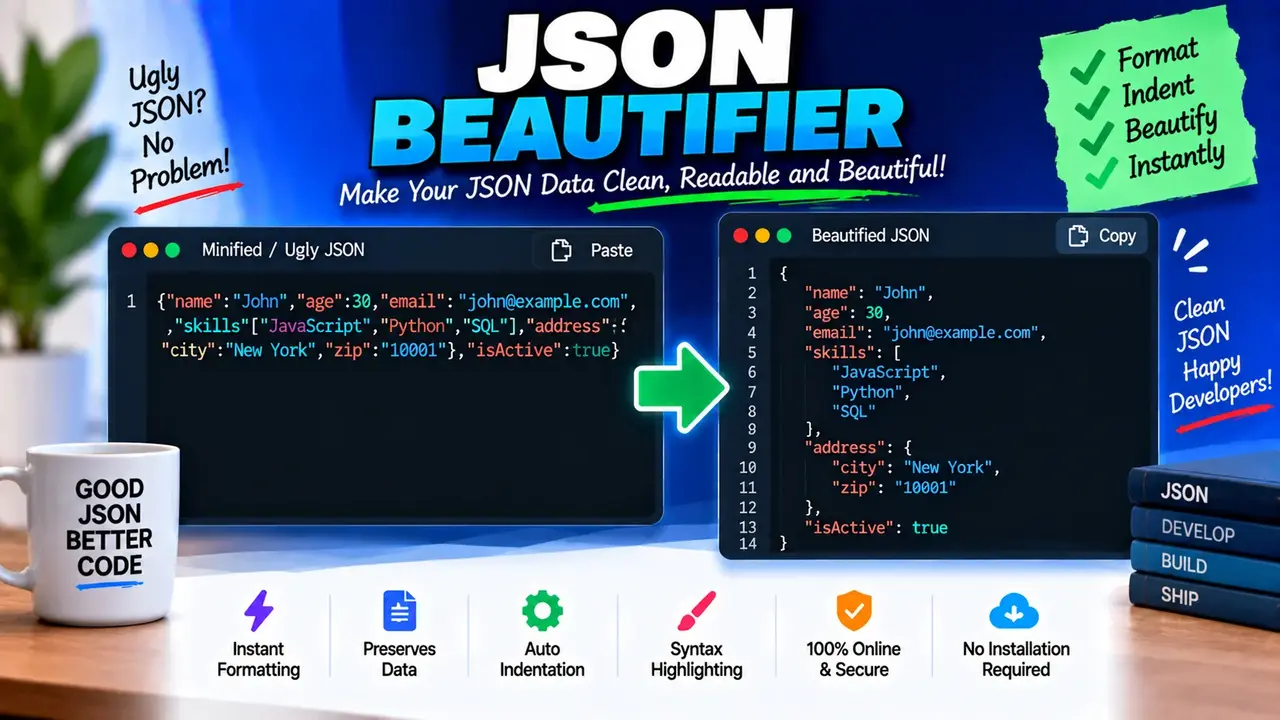
Online Json Beautifier
TL;DR Summary
Json Beautifier formats valid JSON into a clean, readable structure with consistent indentation, making nested objects and arrays easier to inspect and edit. The supplied tool information does not confirm how entered JSON is processed or stored, so avoid entering sensitive information unless the page clearly explains its data-handling behavior.
Json Beautifier
Json Beautifier is a formatting tool for JSON, short for JavaScript Object Notation. JSON is widely used to represent structured data in websites, APIs, software applications, configuration files, and developer workflows. When JSON is written as one long line or contains inconsistent spacing, it can be difficult to read. A JSON beautifier changes the presentation of the JSON without changing the intended data structure.
This tool is useful when you receive compact JSON from an API response, log, configuration file, database export, or developer tool and want to inspect it more easily. Instead of manually adding spaces, line breaks, and indentation, you can use Json Beautifier to organize the structure into a readable format.
A typical JSON document can contain objects, arrays, strings, numbers, Boolean values, and null values. Objects use curly braces, arrays use square brackets, and name-value pairs are separated with colons. Json Beautifier is intended to make these structures easier to see by adding readable formatting around them.
What Does Json Beautifier Do?
The main job of a JSON beautifier is to format JSON text for readability. Compact JSON may look similar to this:
{"name":"Alex","skills":["HTML","CSS","JavaScript"],"active":true}
A beautified representation can make the same structure easier to inspect:
{
  "name": "Alex",
  "skills": [
    "HTML",
    "CSS",
    "JavaScript"
  ],
  "active": true
}
The important point is that beautification changes formatting, not the intended JSON values or hierarchy. The tool is therefore useful for reading and reviewing structured data rather than for converting JSON into a different data format.
Who Can Use Json Beautifier?
Json Beautifier can be useful for developers, web designers, API users, students, technical writers, QA testers, and anyone who needs to inspect JSON data. It can help when debugging an API response, reviewing a configuration file, checking nested data, or preparing JSON for easier manual editing.
It is especially helpful when JSON has been minified. Minified JSON removes unnecessary whitespace to keep the text compact. That can be useful for data transfer, but it makes manual inspection harder. Beautifying the same JSON restores line breaks and indentation so the hierarchy is easier to follow.
What Input Does It Need?
The primary input is JSON text. The content should follow JSON syntax if you want the tool to format it as valid JSON. Common JSON input includes objects surrounded by curly braces and arrays surrounded by square brackets.
For example, an object can contain properties such as a name, ID, date, or status. An array can contain multiple values or objects. Nested objects and arrays can also appear inside one another, which is one of the situations where readable indentation is particularly useful.
No separate unit system is involved. Json Beautifier works with structured text rather than physical measurements, currencies, or numerical units.
What Output Does It Produce?
The output is formatted JSON text. Readable spacing and line breaks help show relationships between parent objects, child objects, arrays, and individual values. The exact indentation controls or presentation options available on the live tool should be checked on the tool interface, because those implementation details were not supplied with the tool request.
How to Use Json Beautifier
- Step 1: Enter or paste the JSON text you want to format into the tool's input area.
- Step 2: Run the Json Beautifier using the available formatting action on the page.
- Step 3: Review the formatted JSON and check that the objects, arrays, property names, and values appear in the structure you expect.
- Step 4: Copy the beautified JSON when you need a readable version for development, review, debugging, or documentation.
Technical Explanation
Json Beautifier is a formatter rather than a mathematical calculator. Its core task is to parse JSON structure and represent that structure with readable whitespace. A standard formatting process identifies JSON tokens such as opening and closing braces, opening and closing brackets, strings, numbers, Boolean values, null, commas, and colons. It then uses line breaks and indentation to make nesting visible.
For example, the compact input:
{"user":{"name":"Sam","roles":["admin","editor"]}}
can be represented as:
{
  "user": {
    "name": "Sam",
    "roles": [
      "admin",
      "editor"
    ]
  }
}
The indentation in this example makes the relationship between the user object, its name property, and its roles array much easier to understand.
There is no conversion formula or measurement unit for this tool. The main transformation is structural formatting. A formatter should preserve the JSON data while changing whitespace used for presentation.
Formatting Does Not Fix Every JSON Error
It is important to distinguish formatting from correction. A JSON beautifier is not automatically a general-purpose code repair tool. If the supplied text contains invalid JSON syntax, the tool may be unable to produce a formatted result or may report an error, depending on its implementation.
Common JSON problems include missing commas, missing quotation marks, unmatched braces or brackets, invalid property syntax, and values that do not follow JSON rules. For example, JSON property names normally need double quotation marks. A JavaScript object that uses unquoted property names is not necessarily valid JSON.
Preset Examples / Quick Reference
| JSON Structure | What Beautification Helps Show |
|---|---|
| Object | Separates properties onto readable lines. |
| Array | Makes individual array values easier to identify. |
| Nested object | Shows parent and child relationships through indentation. |
| Array of objects | Makes each object and its properties easier to inspect. |
| Minified JSON | Adds readable line breaks and indentation. |
Example: Formatting an API Response
Suppose an API returns a compact response such as:
{"id":42,"profile":{"name":"Jordan","location":{"city":"Austin","country":"USA"}}}
A beautified version makes the nesting clear:
{
  "id": 42,
  "profile": {
    "name": "Jordan",
    "location": {
      "city": "Austin",
      "country": "USA"
    }
  }
}
This does not change the values. It simply makes the hierarchy easier for a person to read.
Why Use This Json Beautifier & How Our Json Beautifier Beats the Competition
| Method | Ease of Use | Formatting Workflow | Best For | Limitations |
|---|---|---|---|---|
| Toolhox Json Beautifier | Designed for direct JSON formatting | Paste JSON and format it | Quick inspection and readable JSON | Available options and error handling depend on the supplied tool implementation |
| Manual Formatting | More effort | Add line breaks and indentation by hand | Very small JSON snippets | Time-consuming and easy to format inconsistently |
| Spreadsheet | Not designed for this task | Requires a different workflow | Tabular data rather than raw JSON structure | Does not provide a natural JSON formatting workflow |
| Professional Development Software | Depends on the software | Often part of a larger development workflow | Projects that need broader coding features | May provide more functionality than needed for a simple formatting task |
The practical benefit of a dedicated Json Beautifier is that the task stays focused: provide JSON and obtain a more readable representation. Manual formatting can work for a tiny snippet, while development software may be useful when JSON formatting is only one part of a larger coding workflow. The appropriate method depends on what you need to do with the data.
Important Assumptions
The examples on this page assume standard JSON syntax and show formatting that preserves the underlying data structure. The tool's supplied description does not document a custom formatting algorithm, indentation size, parser library, maximum input length, or detailed error-handling behavior. Those details should not be assumed unless they are shown by the live tool.
Assumptions and Limitations
- Json Beautifier is intended to improve the readability of JSON text.
- Beautification is a formatting operation, not a general data conversion.
- Invalid JSON may require correction before it can be formatted successfully.
- Formatting does not prove that the data itself is correct, complete, or appropriate for its intended application.
- The supplied tool information does not establish a specific maximum input size or a guaranteed error-handling method.
- The supplied information does not confirm whether input is processed locally, sent to a server, or stored. Users should avoid entering sensitive information unless the page clearly explains its data-handling behavior.
- For production software, users should still test formatted JSON in the system where it will be used.
Json Beautifier is most useful when your goal is to make structured JSON easier to read, review, and edit. It should not be treated as a substitute for testing an application's data, validating business rules, or reviewing sensitive information. If the JSON is used in an important production system, check the resulting content and syntax before using it.
